webfilteringdatabase.com
Home Find Your Solution
Features
Domain Categorization API Real-Time Classification 58 Filtering Categories Offline Database (120M) SaaS App Hostnames Mobile App Database Managed DNS Filter Content Classification
Industries
K-12 Schools Corporate Healthcare Government ISPs
Tools
Domain Lookup Bulk Categorization Category Explorer
Resources
Pricing API Documentation Login / Sign Up
Managed DNS filter · Pilot available

Category-based DNS filtering, built on our web filtering database

The same categorized data we provide through our API and offline database, delivered as a ready-to-use filter for schools, libraries and IT providers. AI tools now have a setting of their own.

Request a pilot   See plans

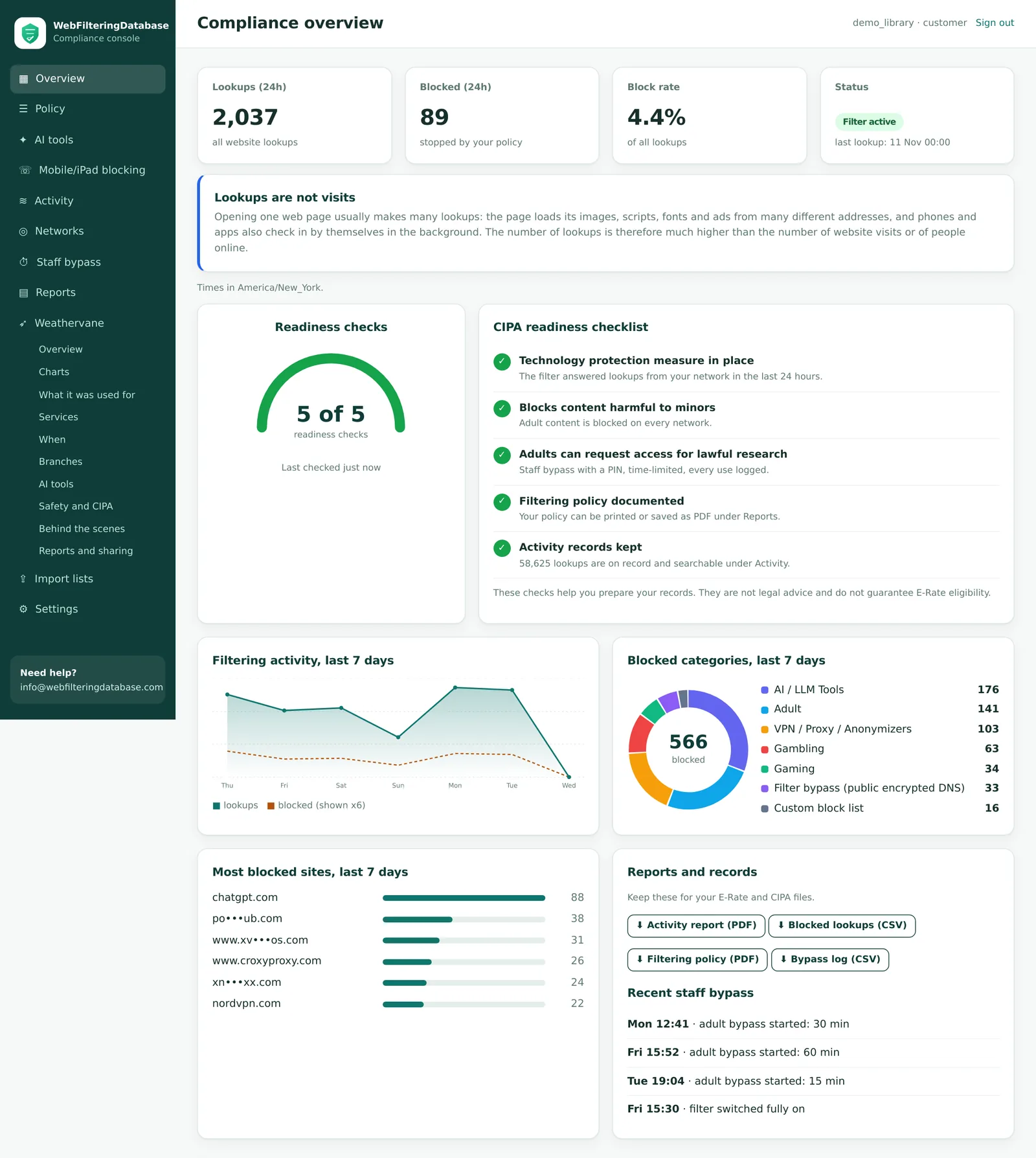
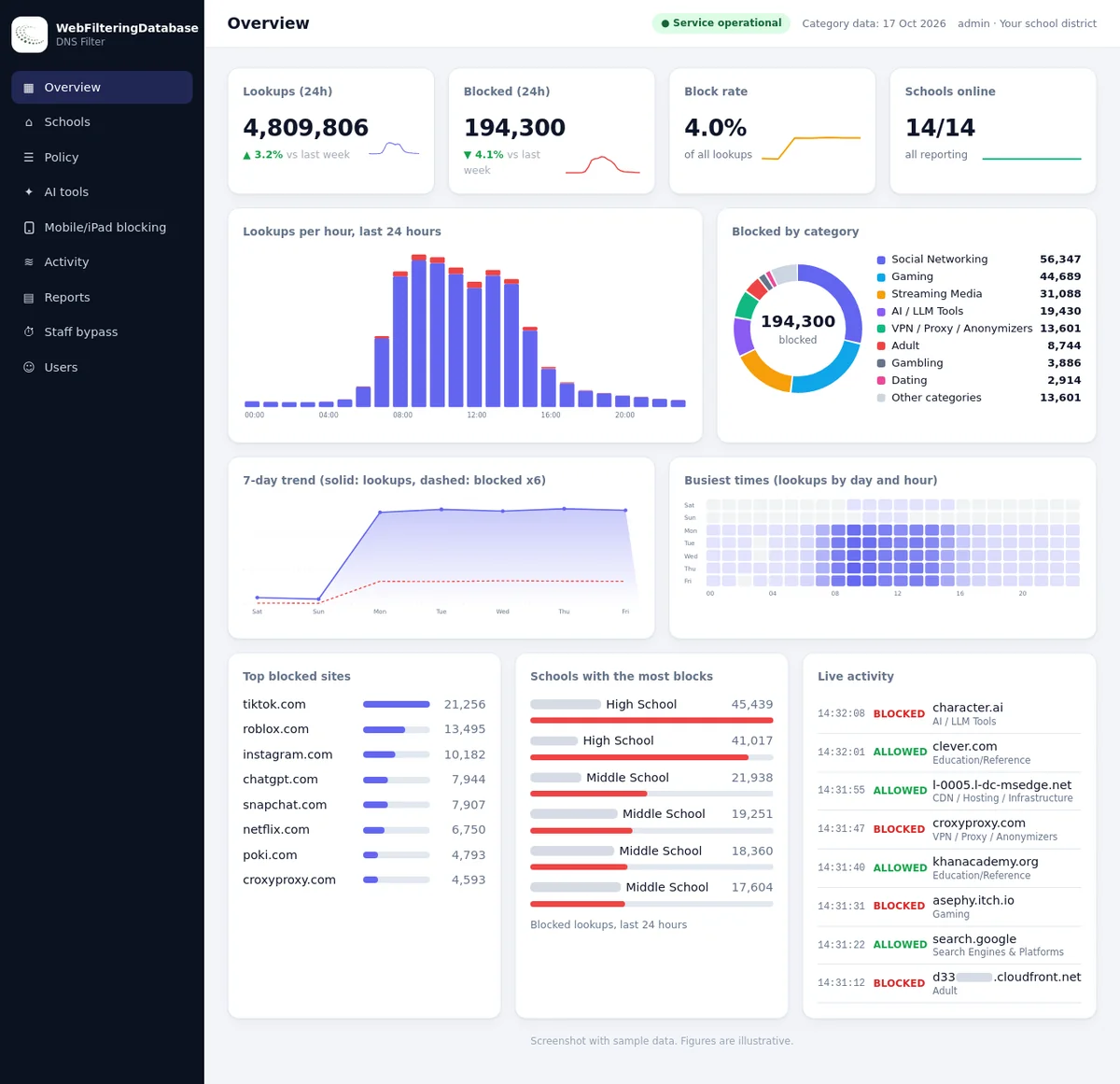
Dashboard overview with lookups, blocked categories and schools online
Full filtering solution · used by US public libraries and schools

We run the web filter for your library or school

Set one DNS address on your router and every device is filtered: CIPA categories blocked, a staff PIN for adult research, and reports for your records. Nothing to install.

From $99 / month per site
See filter plansHow it works

A filter you run from a dashboard

Point DNS at the service, choose categories, and watch what happens. No appliance, no agent on the computers.

Per-site policies

Choose from 22 blocking categories for each site, with always-allow and always-block lists on top.

PIN bypass for staff

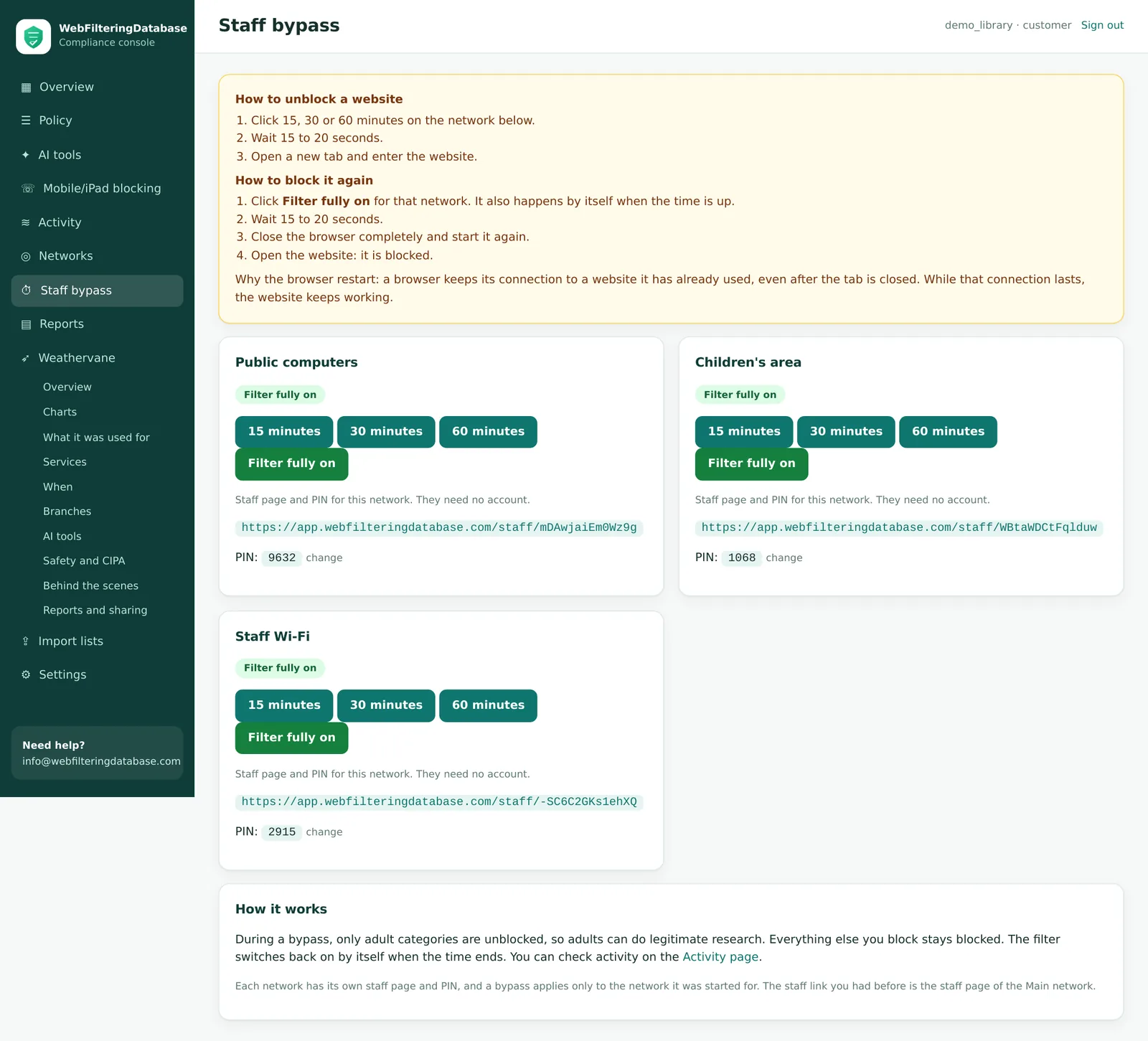
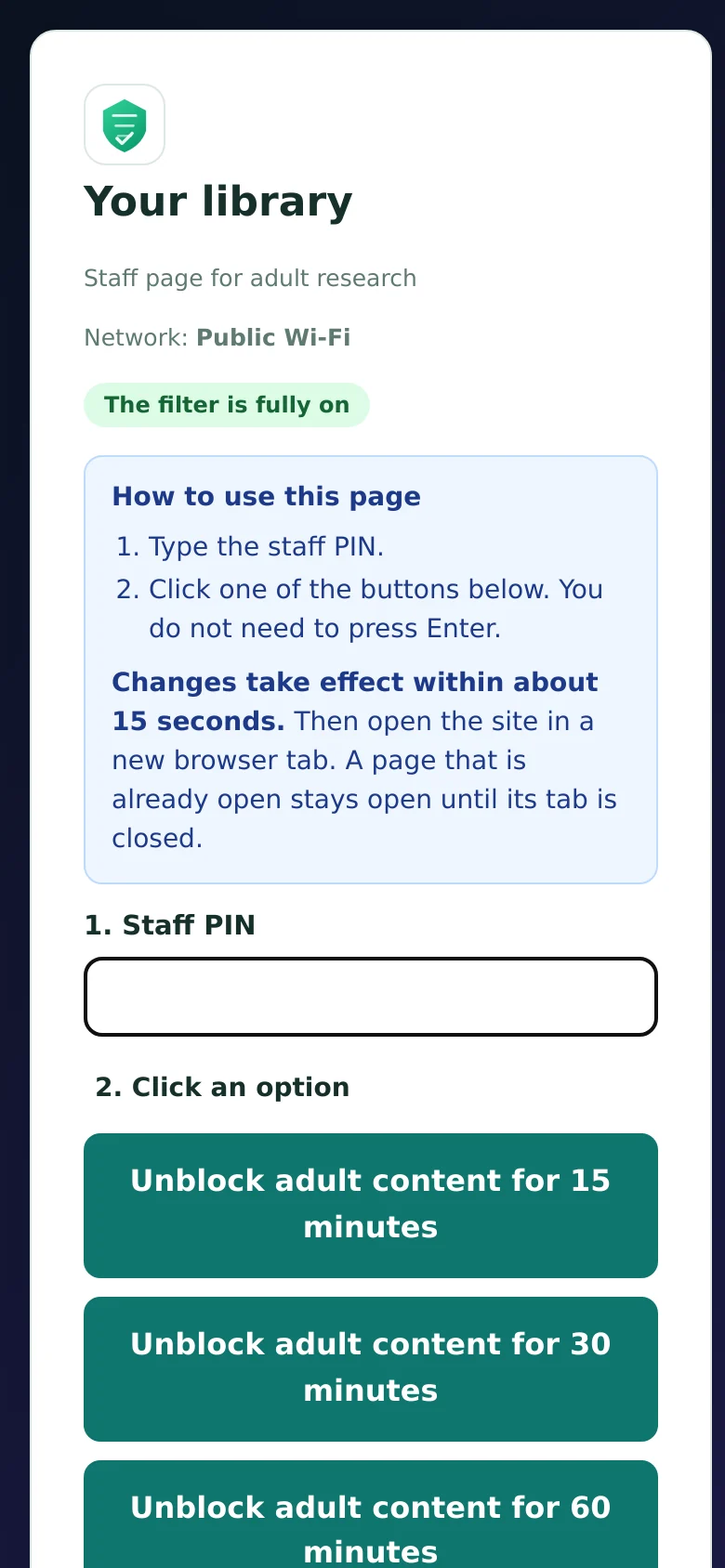
A public page where authorized staff unblock adult categories for 15, 30 or 60 minutes. It reverts by itself and is logged.

Logs and reports

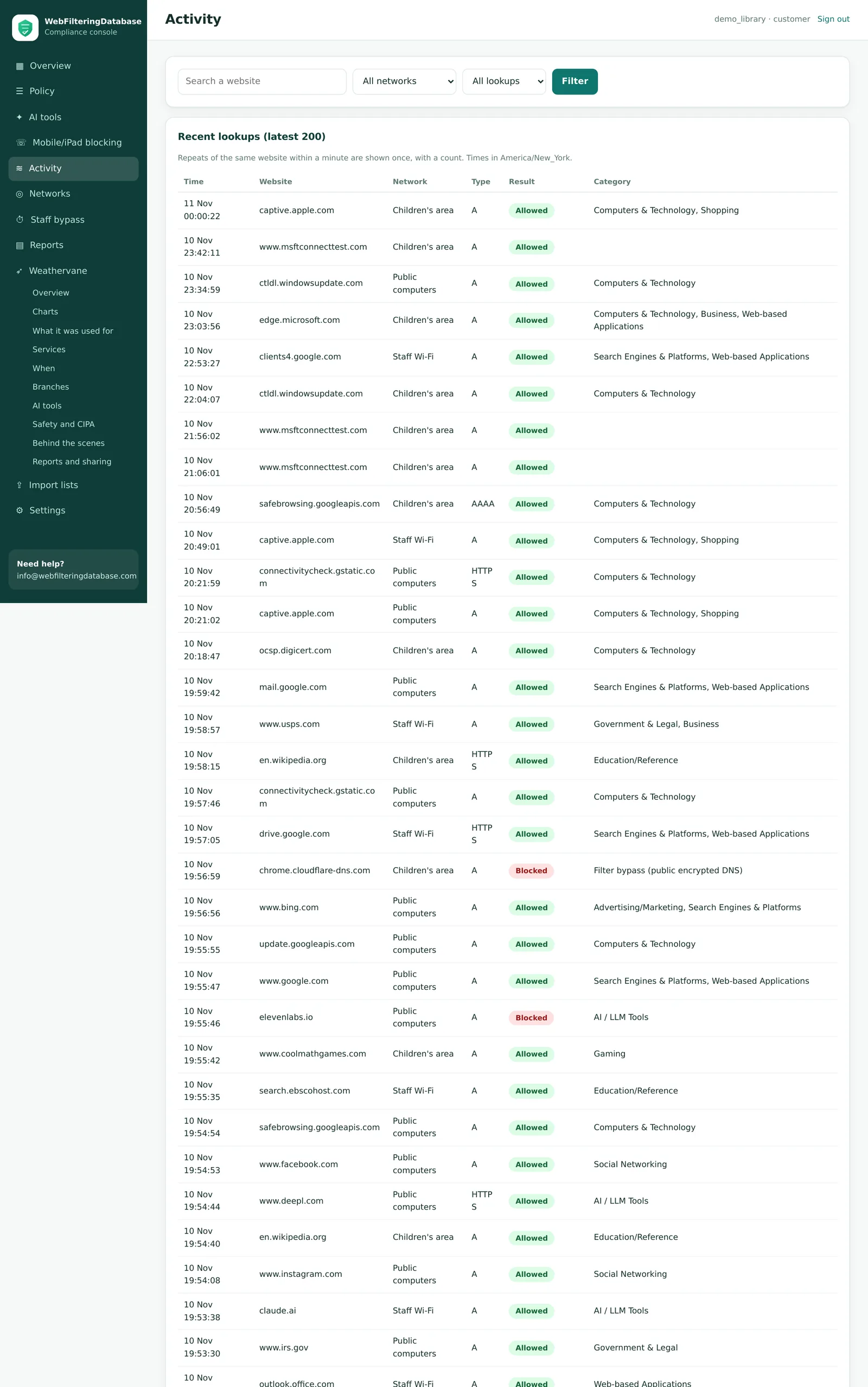
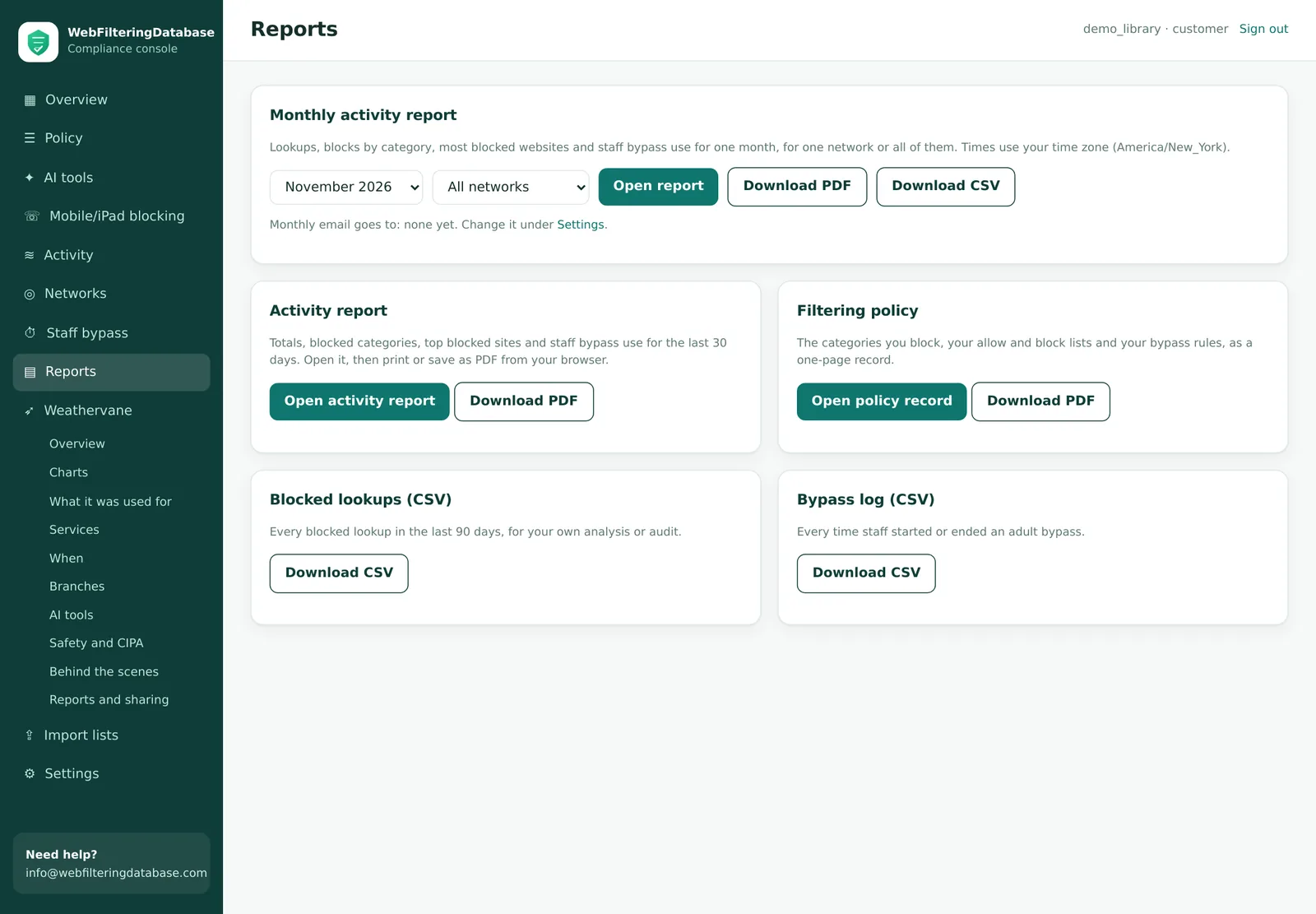
Searchable activity, printable reports, and CSV exports of blocked lookups and bypass use.

Up and running in three steps

Most libraries, schools and offices are filtering within ten minutes. Nothing is installed on any computer.

1
Register your address

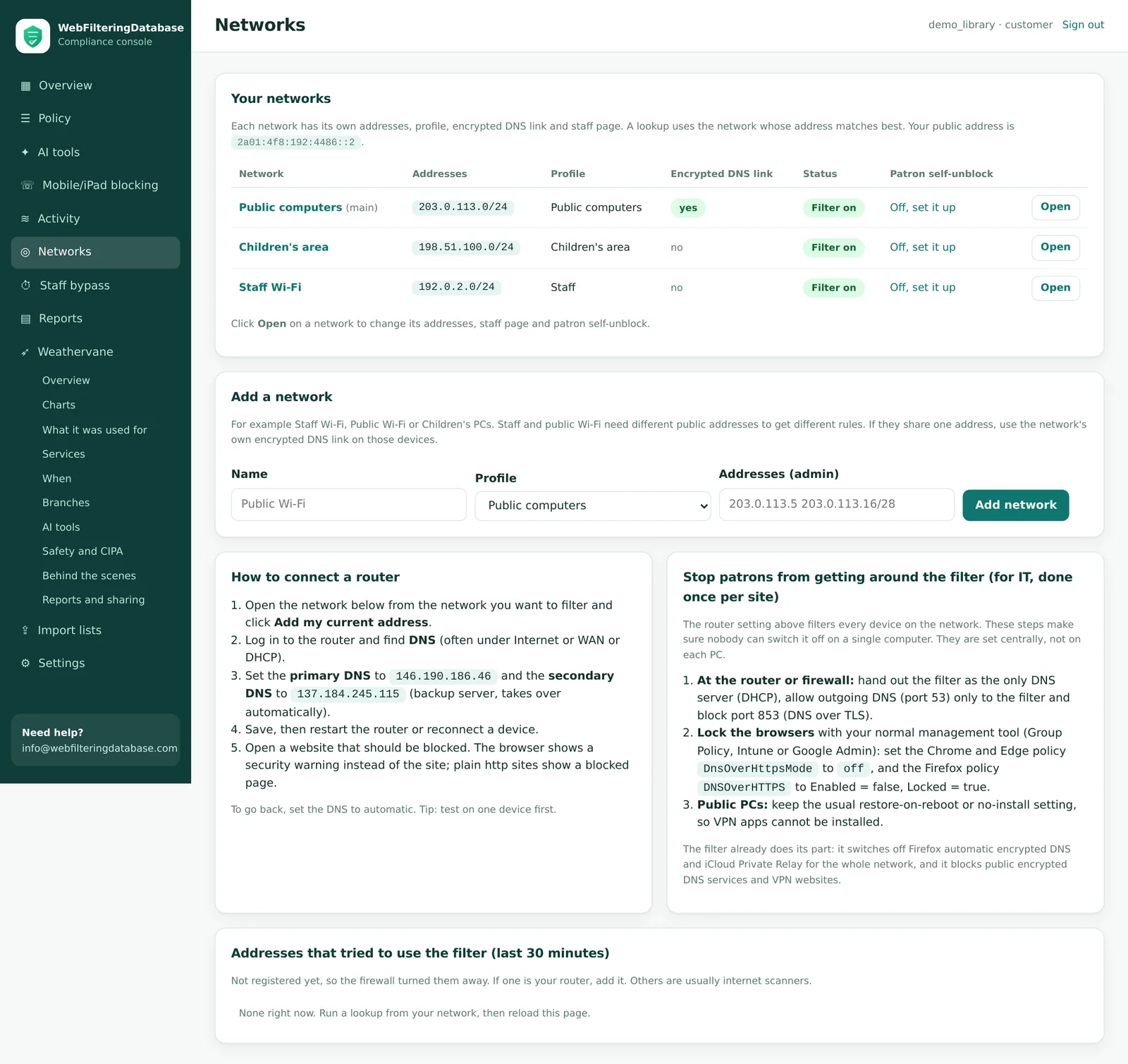
From a computer at the site, sign in to the dashboard, open Networks and click Add my current address.

2
Point the router at the filter

Set the router's or firewall's DNS to the main and backup addresses from your welcome email, and remove any other DNS servers.

3
Check a blocked site

Reconnect a device and open a site from a blocked category. Everyday sites open as normal.

Changing internet address? An address update link keeps the filter in step with it automatically; one line on one computer sets it up. Want to try it first? A private encrypted link tests the filter in a single browser before you touch the router.

What the dashboard looks like

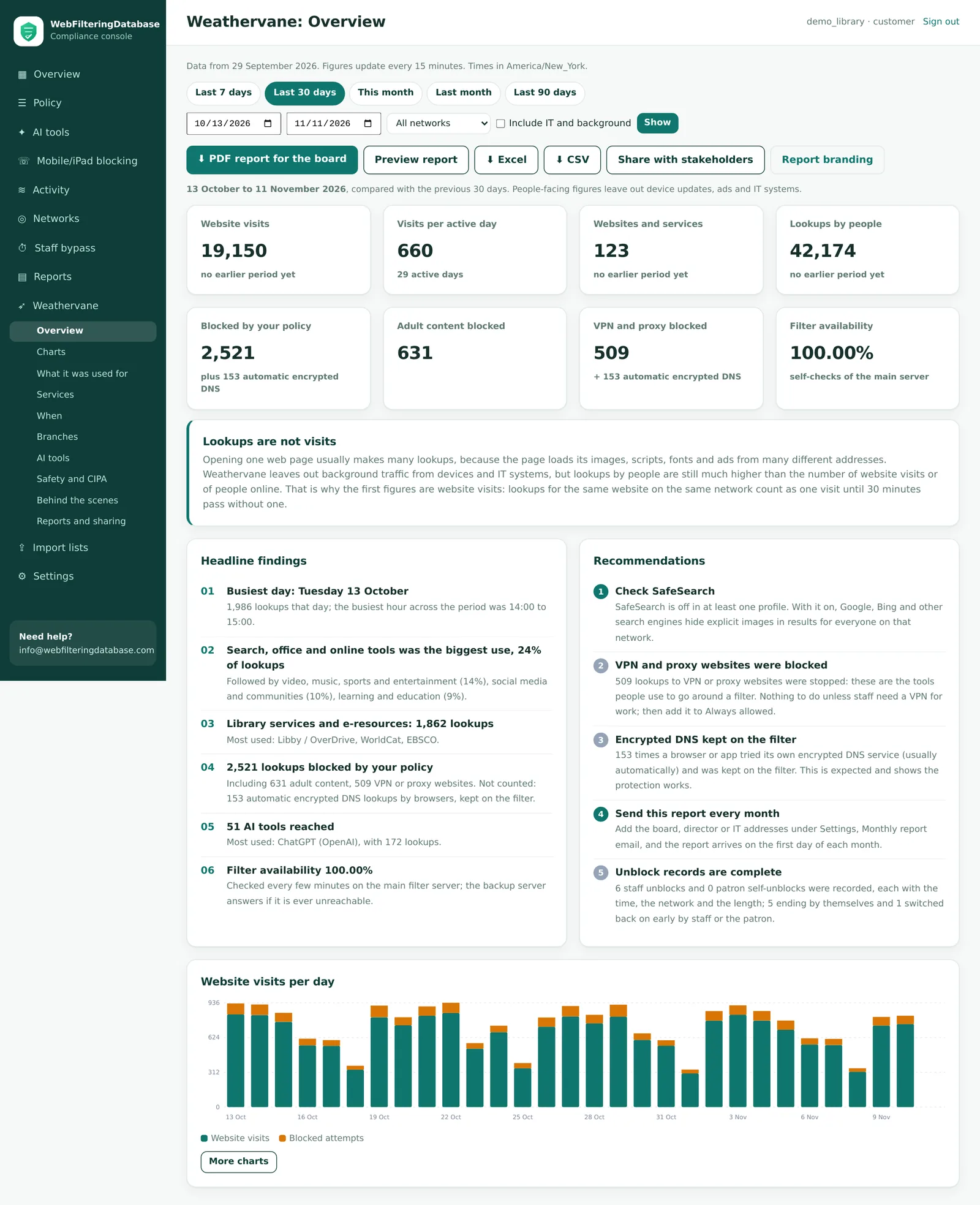
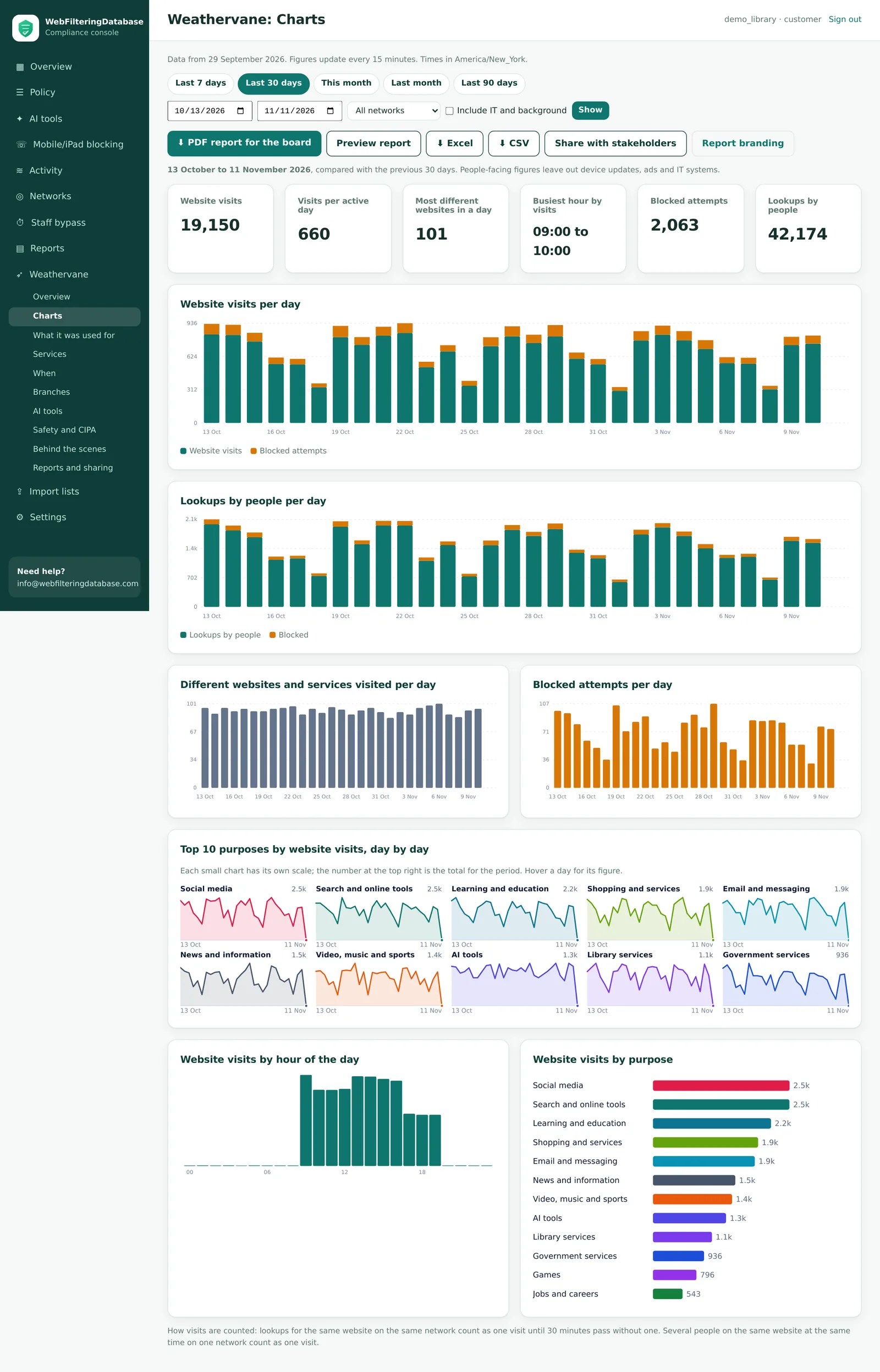
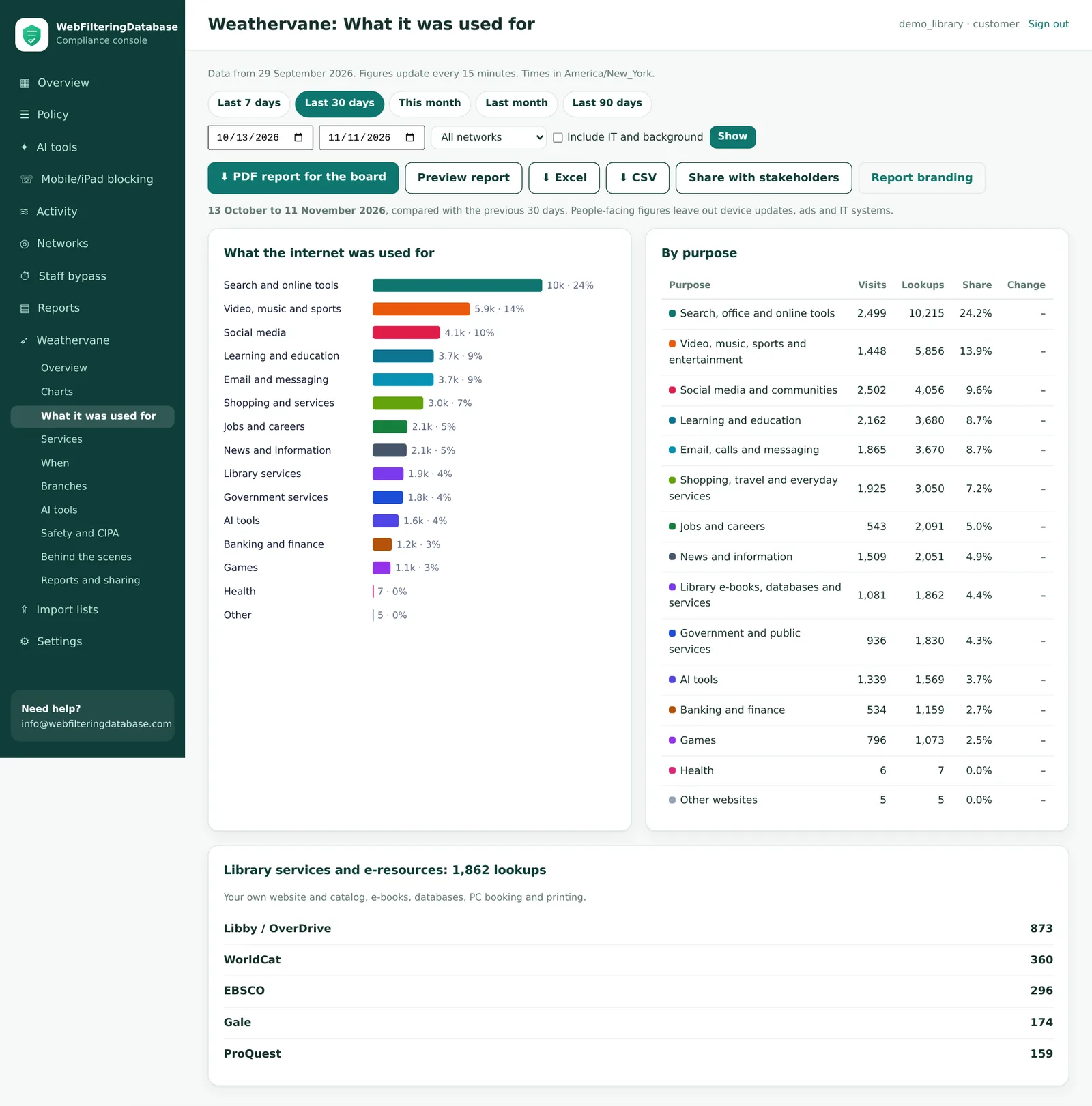
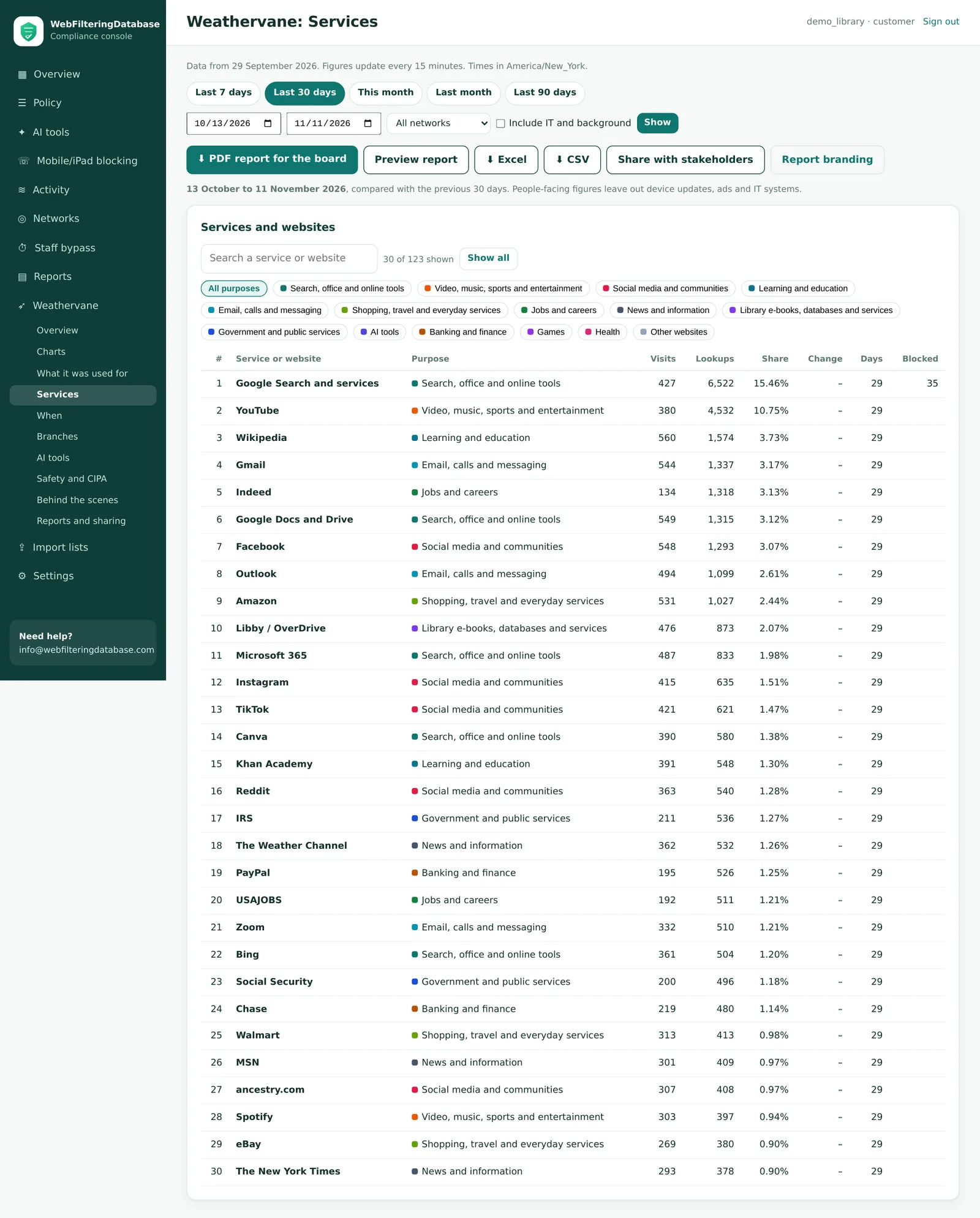
Real screens from the console, with sample data for a demo library. Click a screen to open it large.

New add-on: Weathervane reports

A monthly report your trustees will actually read

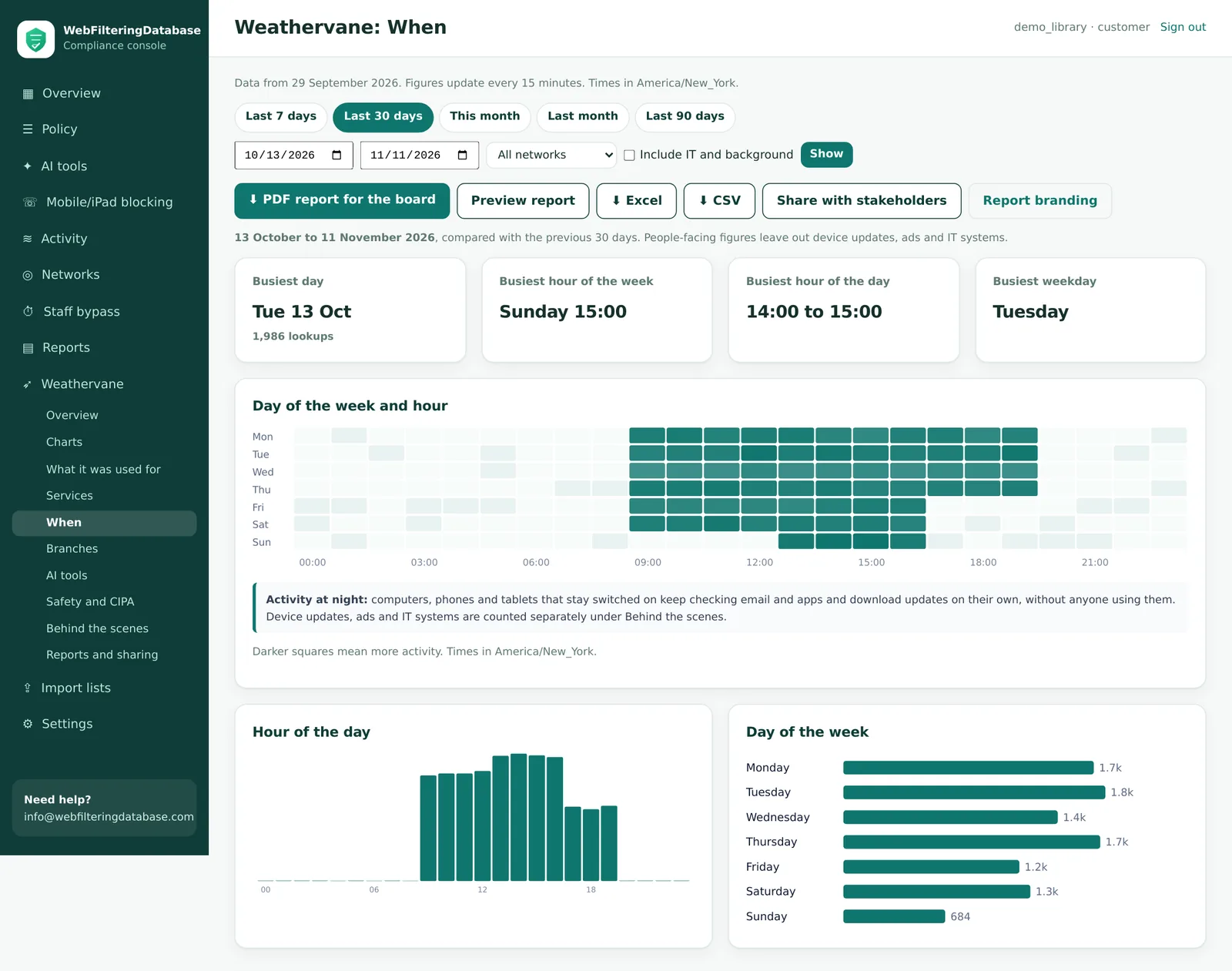
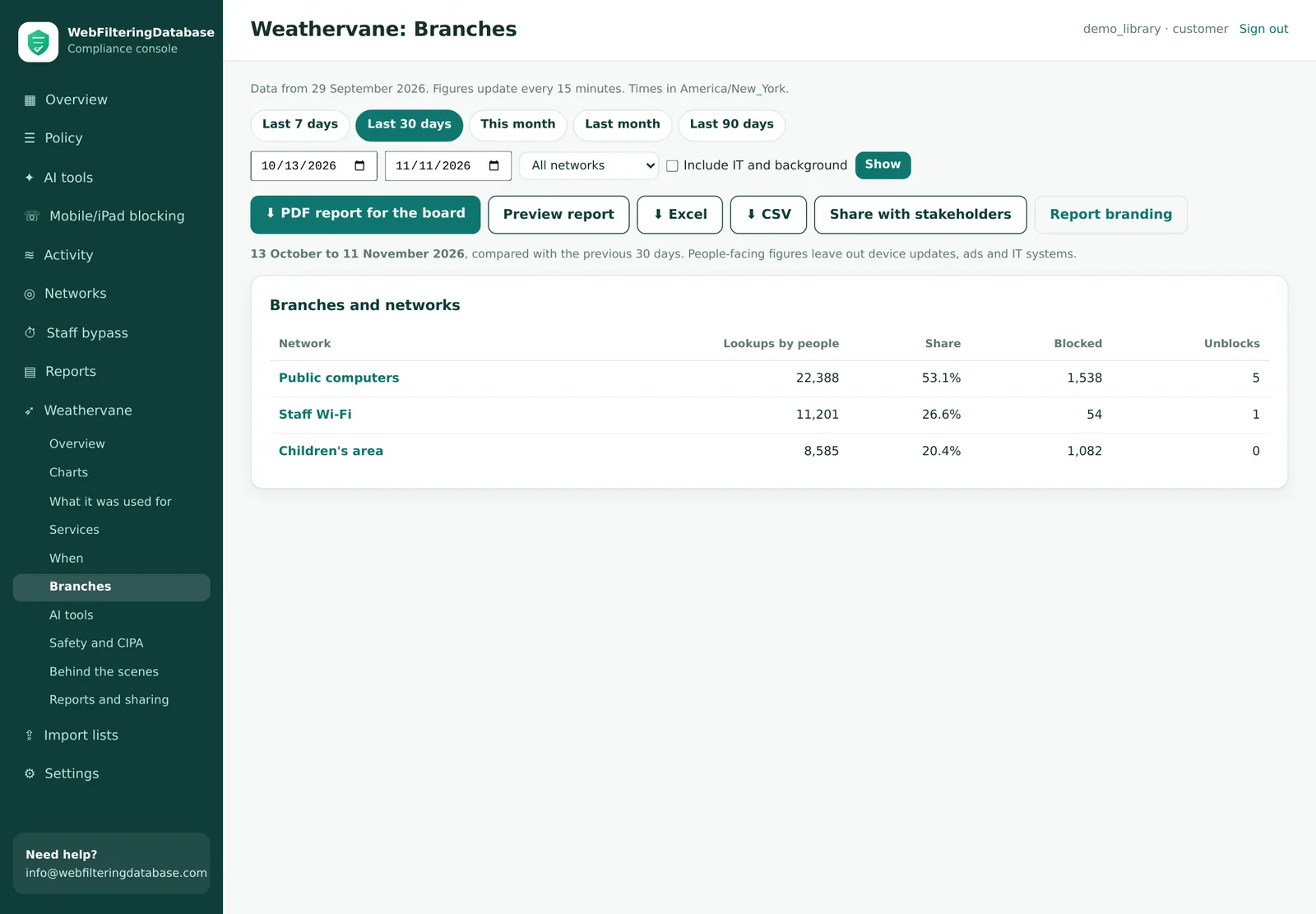
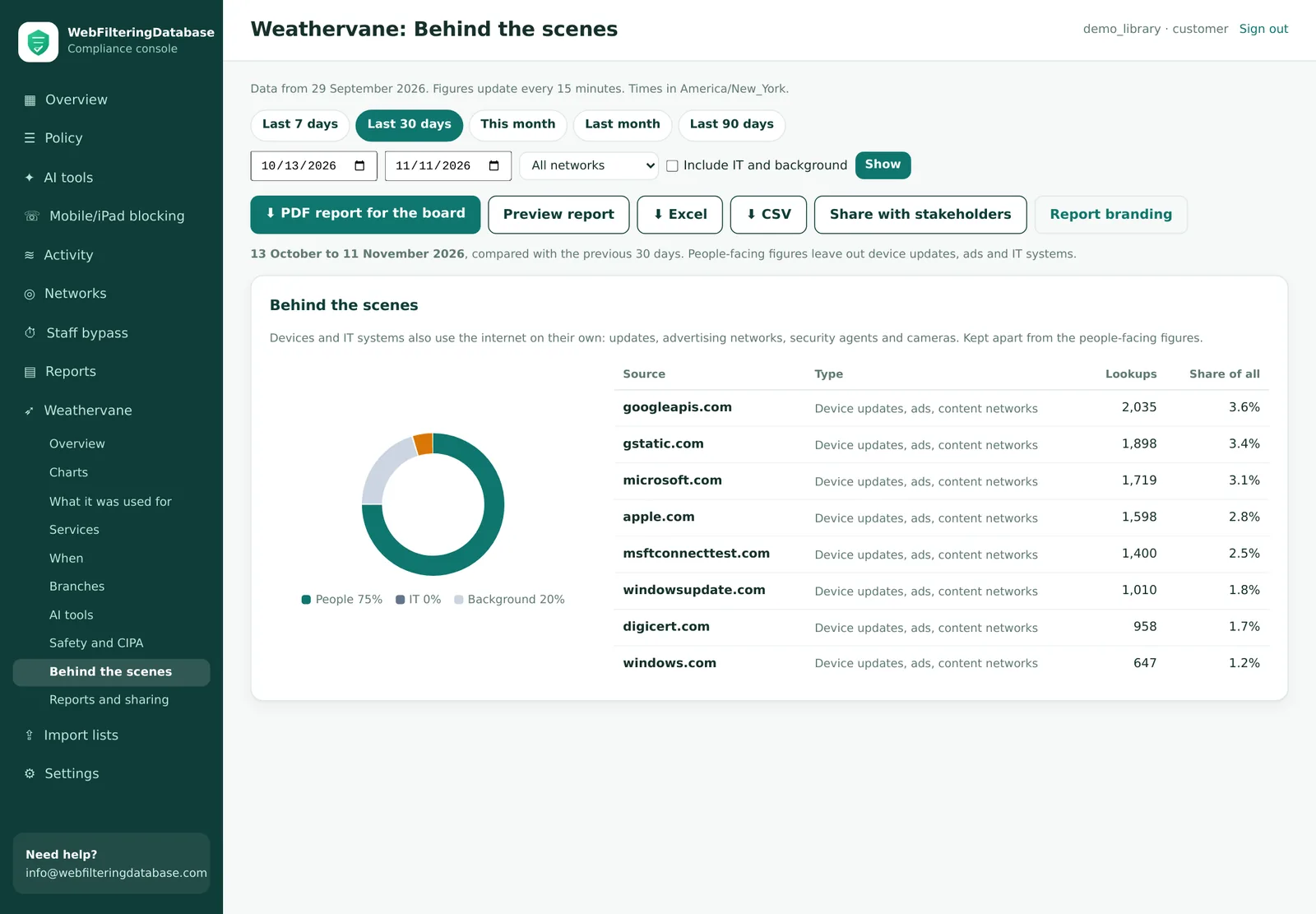
The filter already knows which online services your patrons and staff depend on. Weathervane puts that into a PDF with your logo and colours: what people used the connection for, the busiest days and hours, what the filter stopped and the month's CIPA record.

  • The value of your internet service in plain language: education, job seeking, government, health and e-resources, compared with the month before
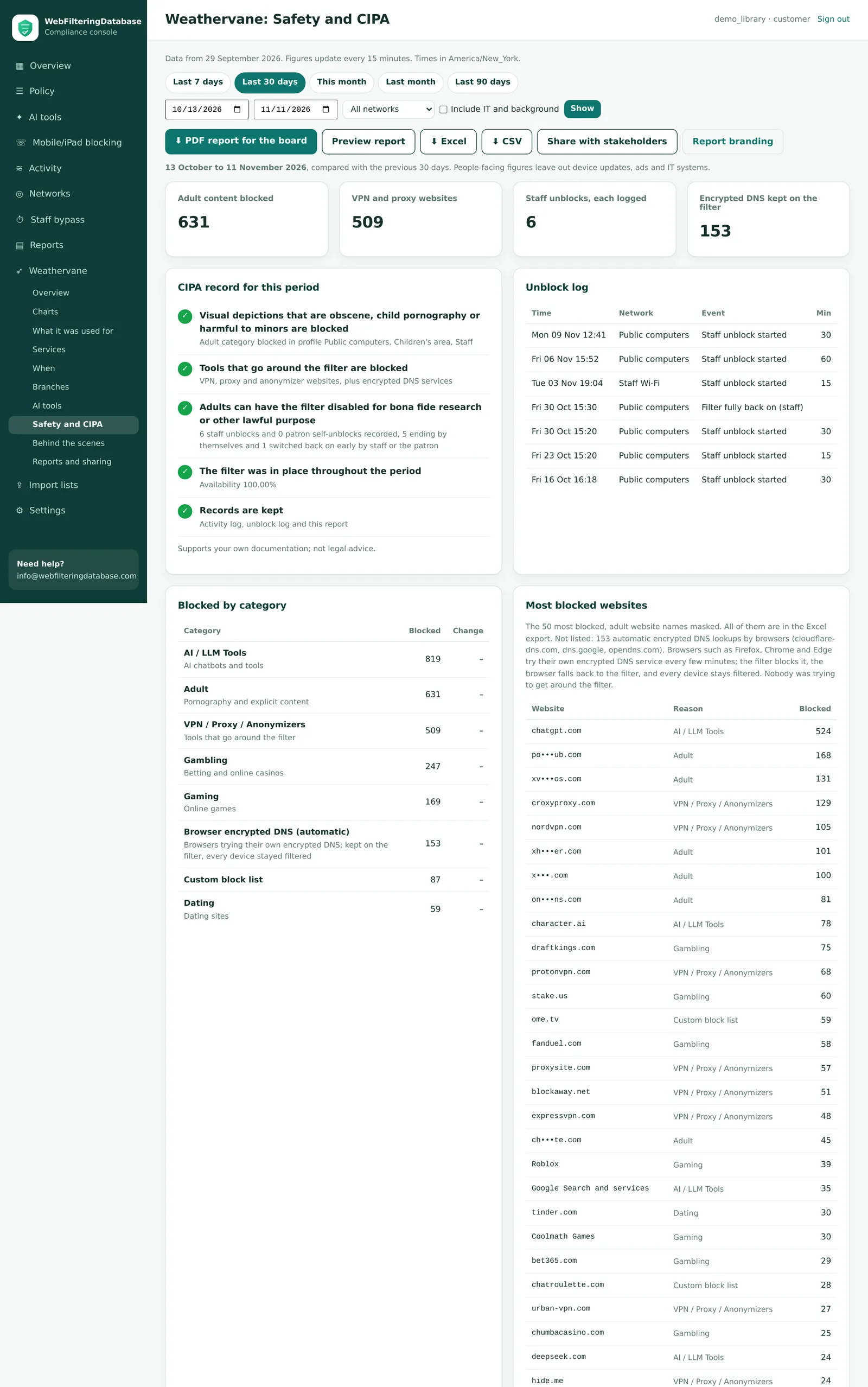
  • Proof of protection: blocked adult content, VPN attempts and every staff unblock
  • A dated CIPA record for E-Rate, sent by email each month
  • Your name and logo throughout, and private links you can send to trustees
$79 a month for one site or $790 a year. A whole library system or district: $149 a month or $1,490 a year. Report changes and customization at no extra cost.
Explore WeathervaneOpen a sample report (PDF)Put it in my plan
New · AI tools setting

AI tools get a setting of their own

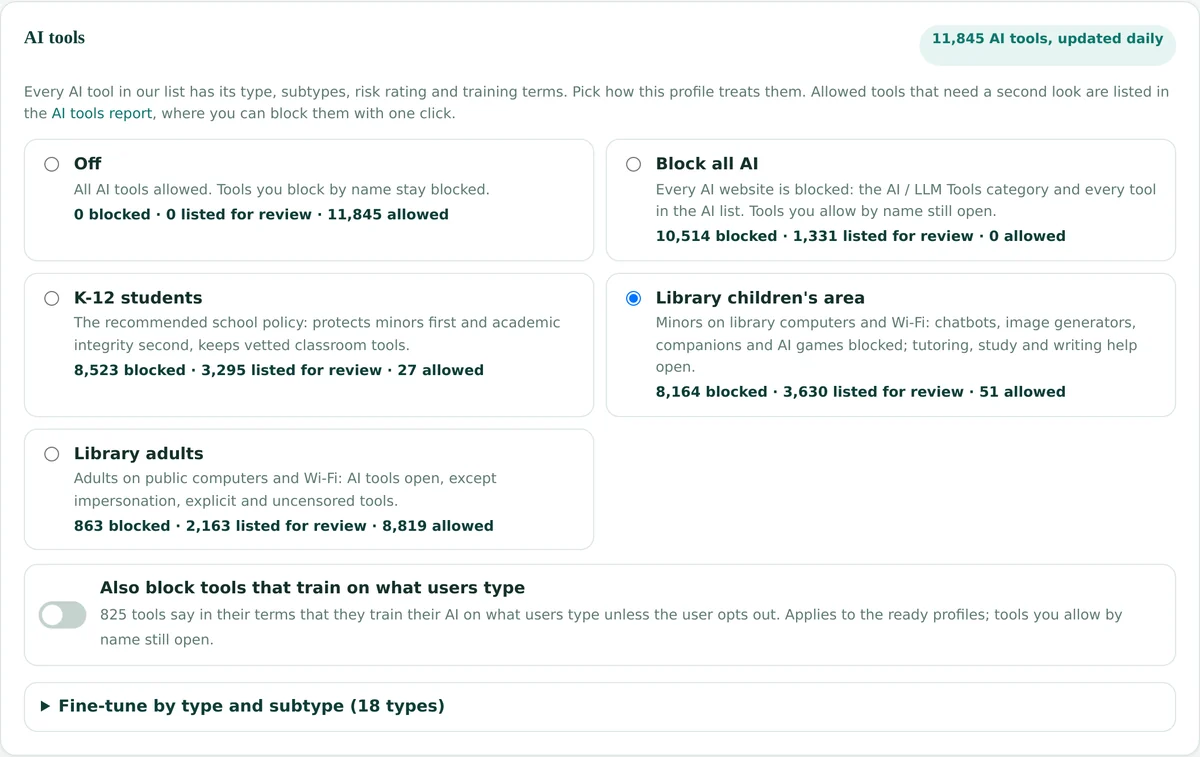
More than 11,000 AI tools are listed by type, risk rating and how they treat what people type into them. Choose a ready profile for each network, then change any type or single tool.

Ready profiles

K-12 students, a library children's area or library adults. Or allow all AI, or block all of it.

18 types, 160+ subtypes

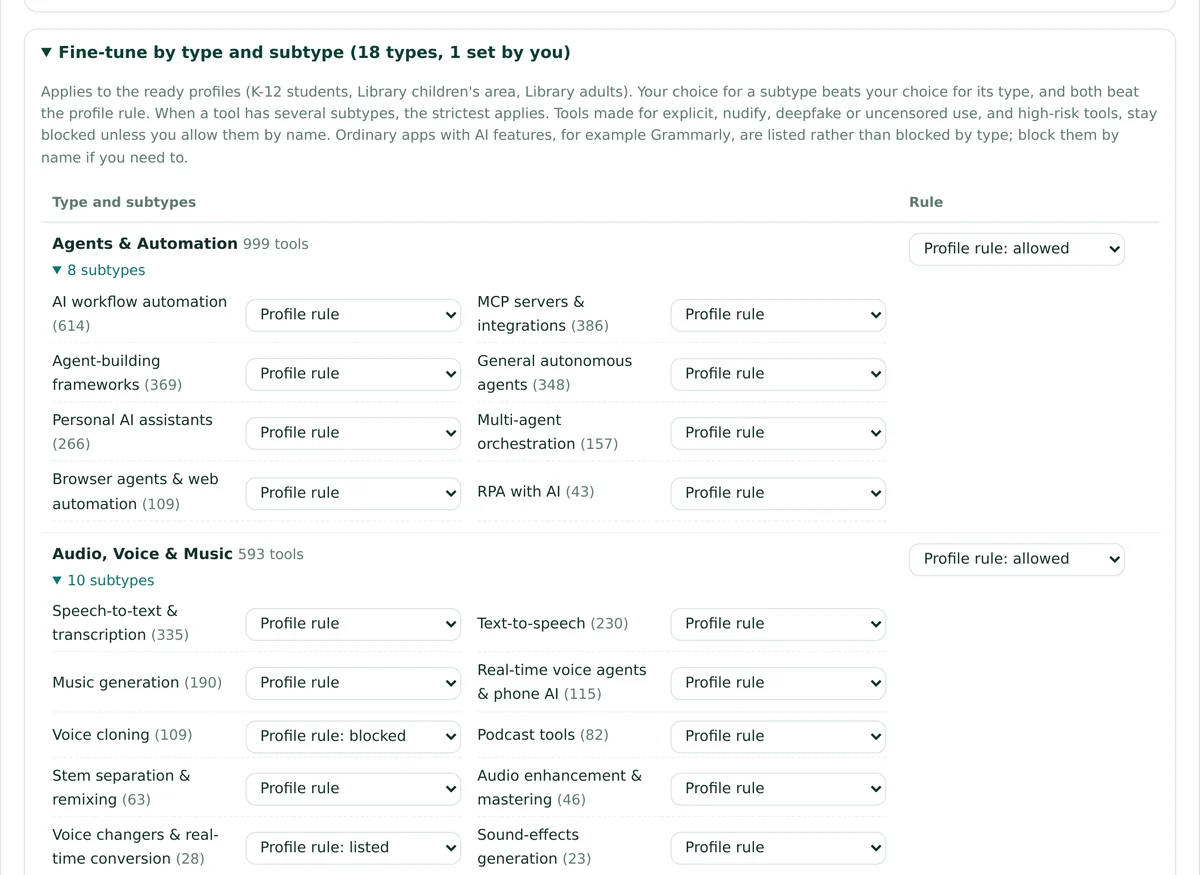
Close image generators and essay writers while tutoring tools stay open. Your choice beats the profile, and the strictest subtype of a tool wins.

One tool by name

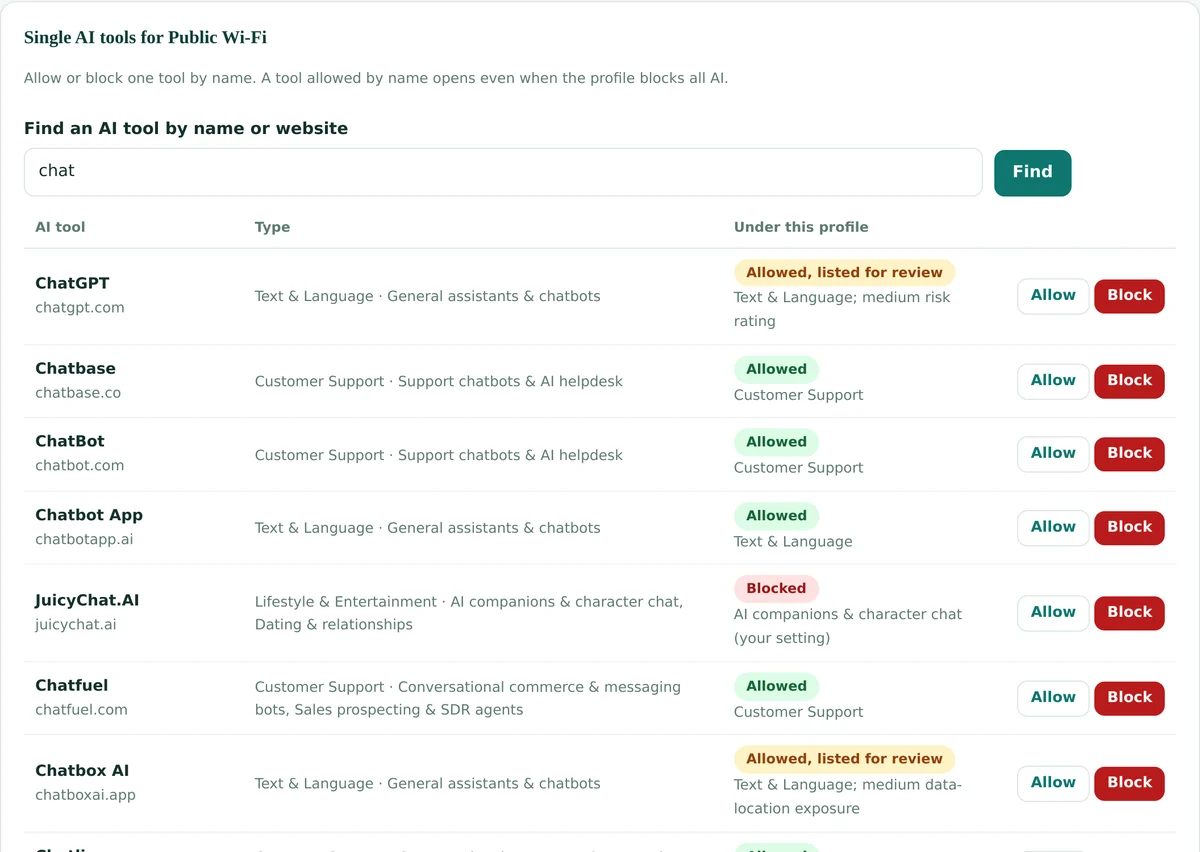
Search the list and allow or block a single tool. An allowed tool opens even when all other AI is blocked.

Tools that keep what users type

One switch blocks the tools whose terms say they train on what users type unless the user opts out.

AI tools report

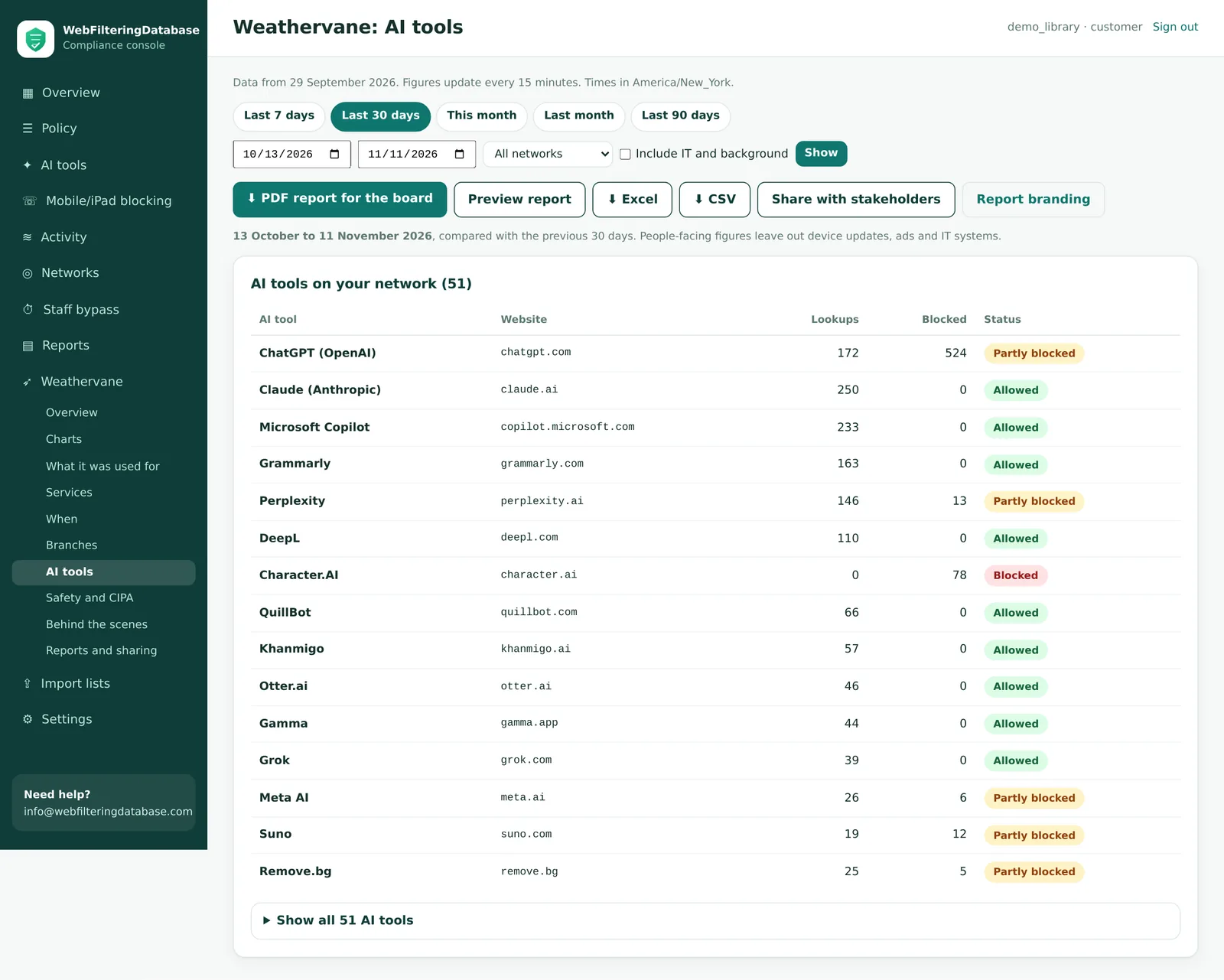
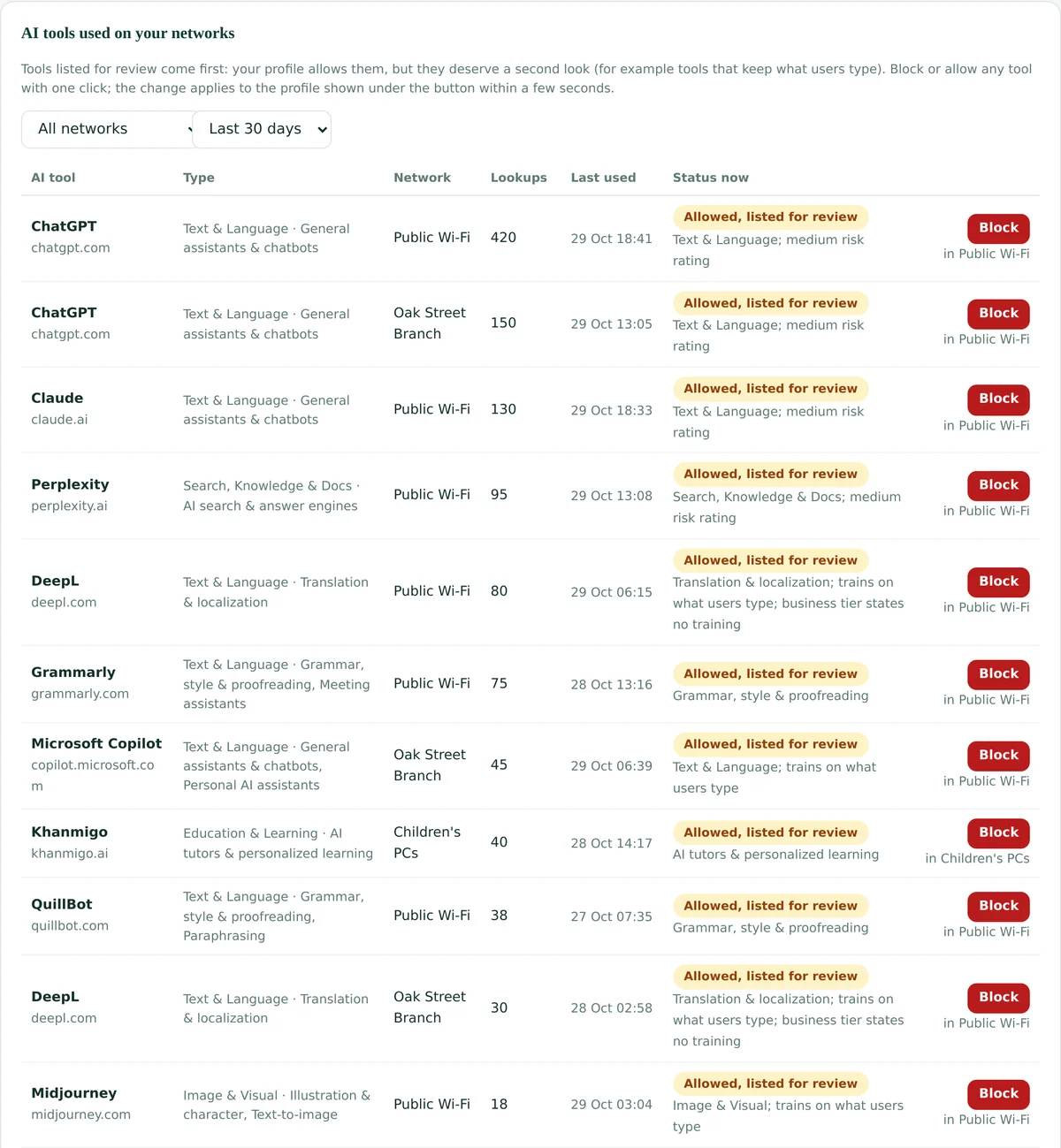
See which AI tools each network used. Tools worth a second look come first, each with a block button.

Explicit and deepfake tools stay out

Tools made for explicit images, nudify, deepfakes or uncensored chat are blocked in every ready profile.

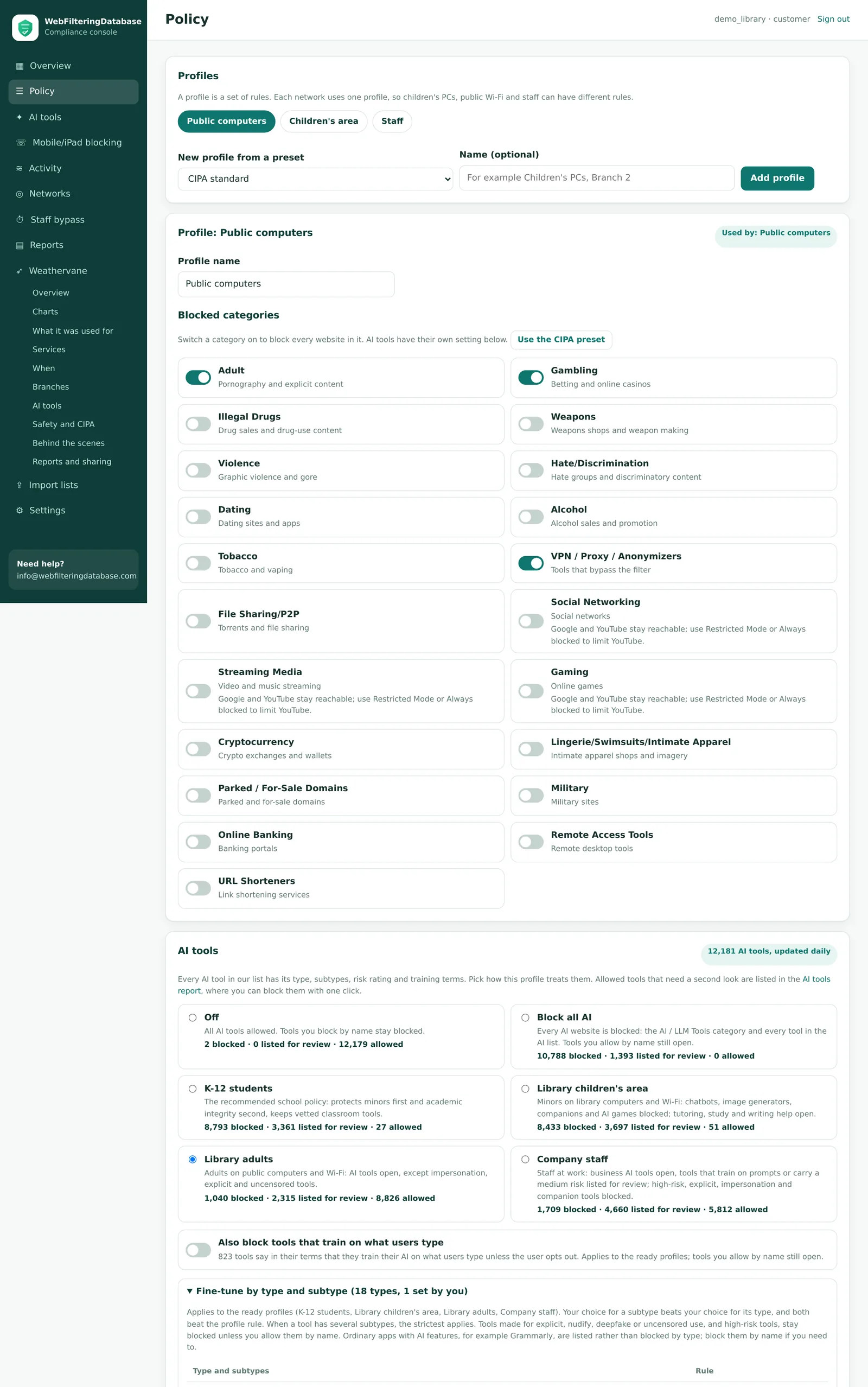
AI tools setting with five choices and how many tools each one blocks, lists and allows
A profile for each networkEach choice shows how many tools it blocks, lists for review and allows.
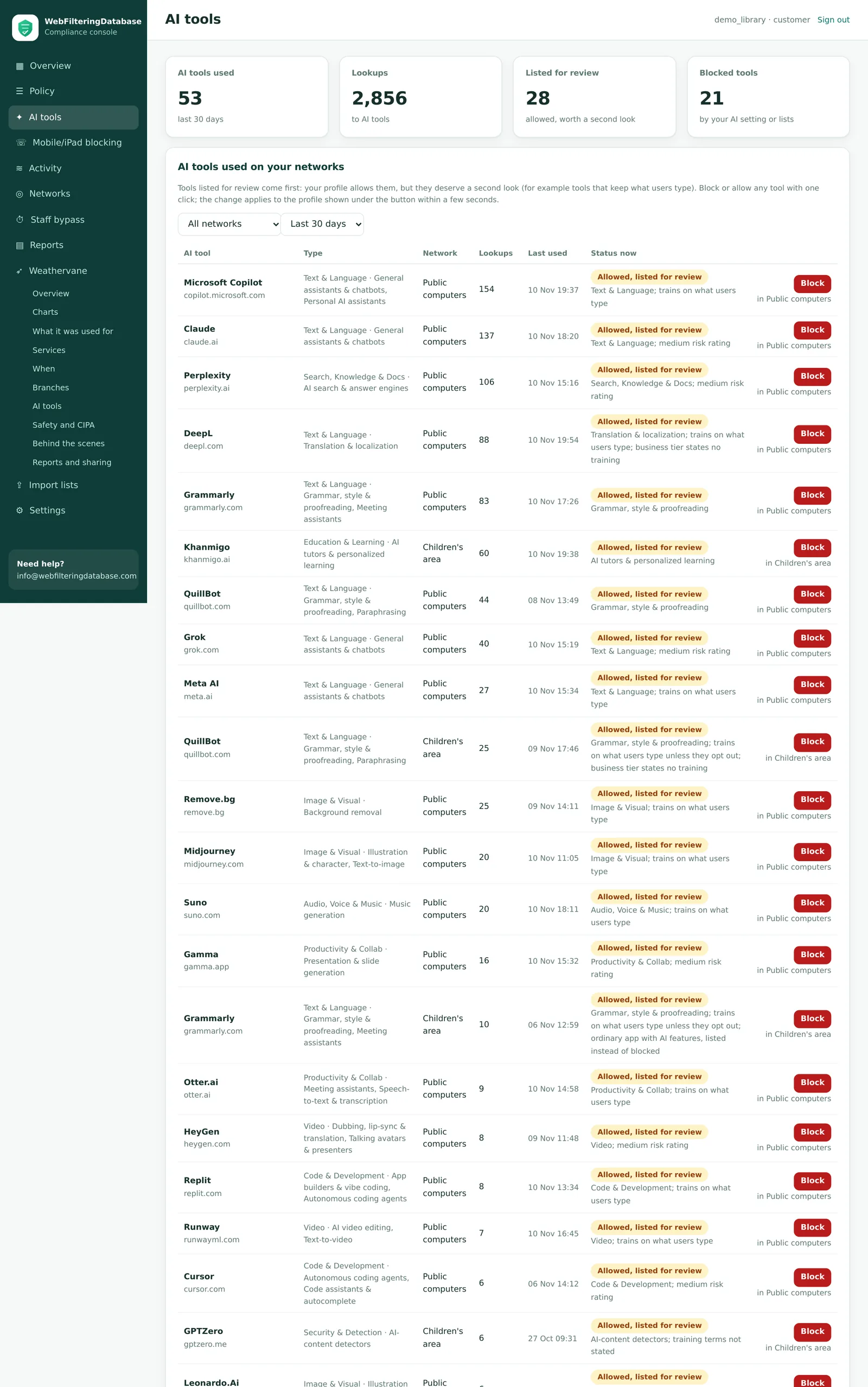
Report of the AI tools used on each network, with status and a block button
AI tools used on your networksLookups, last use and status, with a block button on every row.
AI rules by type and subtype
Rules by type and subtypeKeep the profile rule or set your own for any type.
Search for an AI tool by name with allow and block buttons
Single toolsFind a tool by name and allow or block it.

Screens with sample data for a library with four networks. The list of AI tools is updated every day.

Step by step with screenshots: the AI tools setting guide for clients.

Works on any network

Point a router or firewall at the filter, or give a device a private encrypted link. The same policy applies either way.

The encrypted link also works where a provider redirects ordinary DNS, and on laptops and phones away from your network.

The staff bypass page works from any phone.

Because the filter sits on the network, visitors' own phones and laptops are covered too. Network filter or software on every device?

Staff page on a phone with a short how-to: type the staff PIN, then click one of the buttons; changes take effect within about 15 seconds

App control for managed iPads and phones

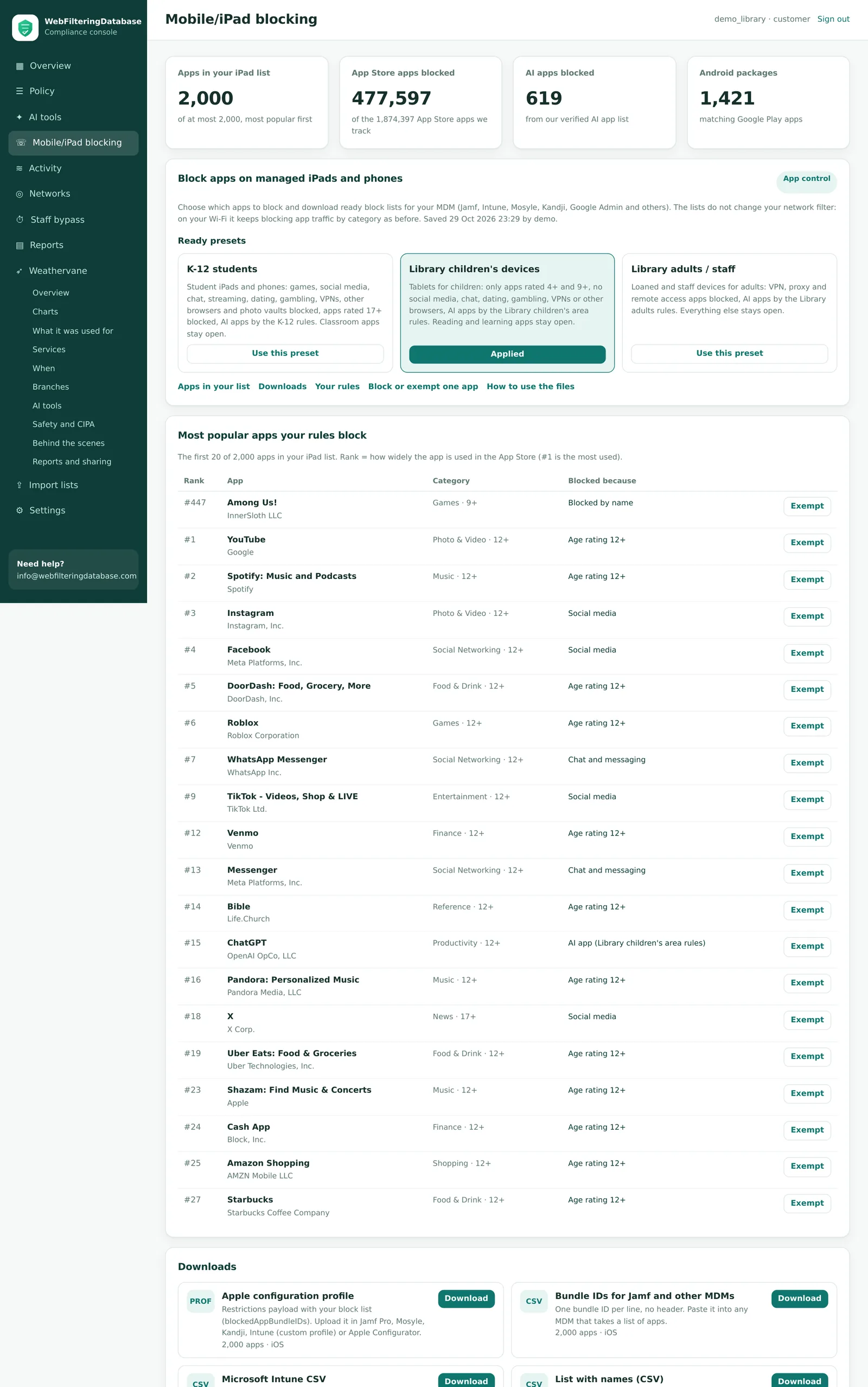
A DNS filter sees server names, not apps. App control adds the app side with the same categories, using our Mobile App Database of 1 million categorized apps.

Block lists for your MDM

Choose the app categories to block, and we send the matching bundle IDs as import files for Jamf, Microsoft Intune, Mosyle and other MDM tools, rebuilt every month.

The app's own domains in DNS

Apps talk to their developer's servers. The filter blocks those domains in the same categories, which also covers the web versions of the same services.

Included in multi-site plans; $29 per month on the single-site plan.

Who it is for

Teams that need category filtering without running their own filter.

Schools

Block the categories your policy lists, with a way for staff to open adult research when it is lawful.

Libraries

A short setup for public computers and a staff bypass for adult research.

IT providers

Manage several customers from one console, each with its own policy and staff PIN.

Configured around each customer

Built into the dashboard. We set these up with each customer, and most requests cost nothing extra.

Never-block list

Domains you add here stay reachable on every network, above any category, schedule or profile.

Bring your old lists

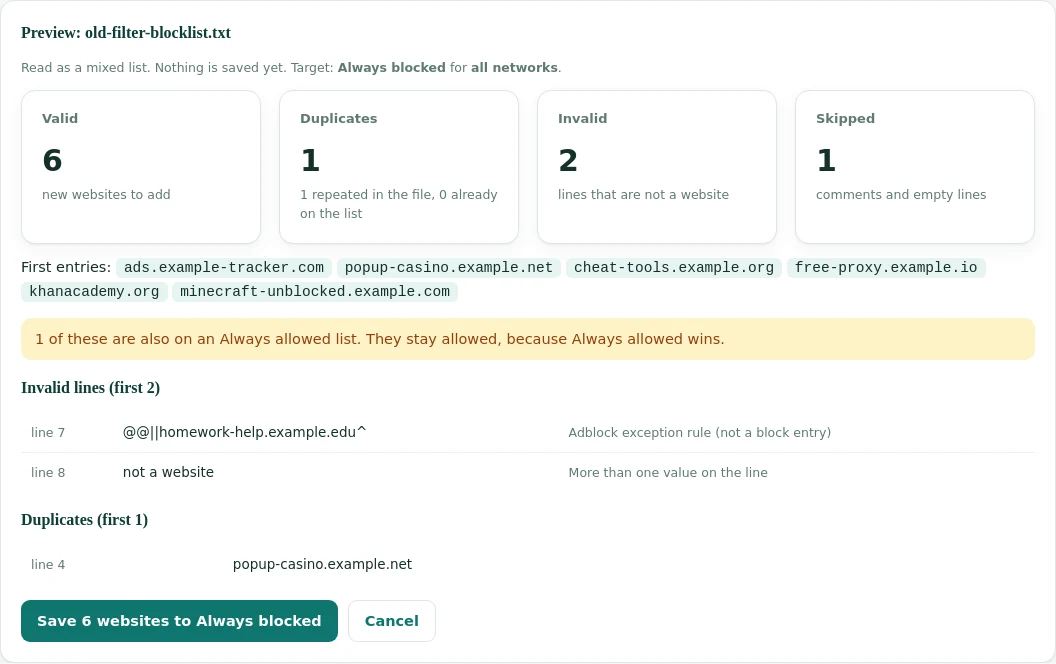
Upload allow and block lists from your current filter as plain text, hosts format, Adblock rules or CSV, with a preview first.

Children's profile

Extra categories, forced SafeSearch and YouTube Restricted Mode for the PCs children use.

Rules per network

Staff Wi-Fi, public Wi-Fi and lab networks each follow their own profile.

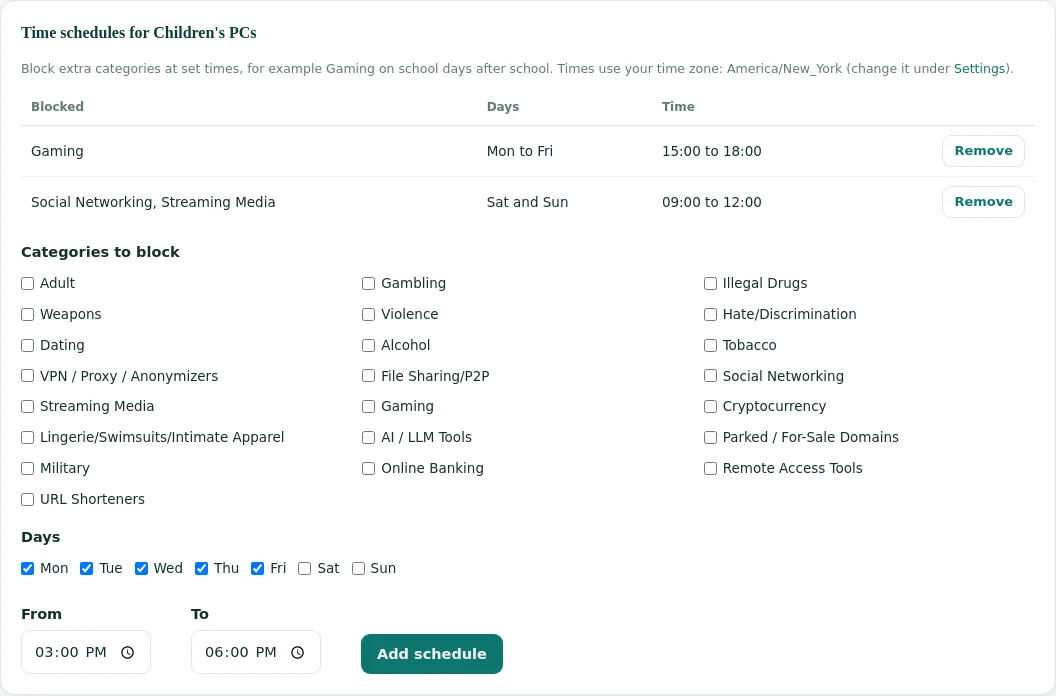
Schedules

Switch categories on for set hours and days, in the customer's own time zone.

Branded block page

Each customer's name, logo and contact details on the page shown for blocked sites.

Monthly reports

Per site and per customer, printable or as CSV, with a recipient list for the director.

PIN per site

Every site has its own staff page and PIN, and a bypass applies to that site only.
Guides: Profiles and networks · Time schedules · Staff bypass PIN · Importing lists · Branded block page · Monthly reports · SafeSearch and YouTube · For MSPs

Time schedules for a profile
SchedulesBlock a category on set days and hours.
Import preview with valid, duplicate and invalid counts
List importCounts and checks before anything is saved.
Hosted web filter · used by US public libraries and schools

Build your plan

Start from the CIPA Filter at $99 a month for one site, then add only what you need: Weathervane reports, AI Controls or App Control. Your total changes as you go, and yearly billing gives you two months free.

Order onlineA single library or schoolPer-site prices: choose your add-ons below.
Library systems, counties and school districtsSeveral sites get a quote: use the form below
Single site: one library or school Several libraries or schools? Click here

CIPA Filter

Managed DNS filtering for one location

$99a month
  • Blocks the categories CIPA expects, plus VPN and proxy websites
  • A staff PIN opens adult research for 15, 30 or 60 minutes
  • Activity log, allow and block lists and record reports in one dashboard
  • Two filter servers: if one is down, the other answers
  • One router setting covers every device on the network
  • Cancel a monthly plan whenever you like

Choose your add-ons

All optional. Your total changes as you add or remove one.

In plan
New: reports for your board

Weathervane reports

+$79 / month
or +$790 a year

Each month, a PDF with your logo and colours that shows trustees how the connection served people and how they were protected.

  • Learning, jobs, government and health services, month on month
  • What was stopped, from adult content to scam websites, and the CIPA record
  • Private links and Excel exports; report changes cost nothing extra
Learn more
In plan
AI governance

AI Controls

+$49 / month
or +$490 a year

Set which AI tools each network allows, from a whole category down to a single tool.

  • 11,800+ AI tools sorted by type and risk
  • Presets for students, children's areas and adult patrons
  • See which AI tools each site actually uses
Learn more
In plan
Managed devices

App Control

+$29 / month
or +$290 a year

Block lists your device management can import for managed iPads and phones, while the filter blocks the same apps' domains.

  • Choose app categories or an age rating to block
  • Built on 1 million+ categorized App Store apps
  • Works with Jamf, Intune, Google Admin and Apple School Manager
Learn more
Added by email

Devices away from the network

+$0.10 / device / month
From 25 devices

Laptops, hotspots and take-home tablets keep the same filtering when they leave the building.

  • Each device gets its own encrypted link
  • Your network rules apply wherever it goes
  • Tell us how many devices and we add them
Subscription$99 / monthCheckout
Multi-site

Several libraries or schools, a county or a district?

One console, with separate policies, lists and staff PINs for each branch or school. Pick the options you need and you get a written quote within one business day. You can start with one or two sites on the monthly plan.

The price per site drops as you add sites
LocationsEach, per yearFor example
2 to 9$490 to $6905 locations: around $3,000 a year
10 to 19$290 to $39015 locations: around $5,000 a year
20 to 49$150 to $19034 locations: around $6,000 a year
50 to 99$120 to $15075 locations: around $10,000 a year
100 to 199$90 to $120150 locations: around $15,000 a year
200 or moreFrom $75Quote

CIPA Filter only, one yearly invoice for all locations. The written quote, within one business day, sets the final price.

Why libraries and schools add AI Controls

AI tools get a setting of their own, next to the CIPA categories.

1

What schools and libraries now ask for

Control of AI tools by type, with reasons parents and boards understand.

2

Goes beyond other filters

11,800+ AI tools by type, ready profiles for K-12, children's areas and adults, a switch for tools that train on what users type, single-tool allow and block, and a report of the AI tools used per site. Most filters offer one AI switch or a few categories.

3

Ready for AI rules for minors

Florida requires parental consent for student AI use and that staff can switch AI tools off immediately. Ohio, Tennessee and Oklahoma require school AI policies.

Questions

How the filter relates to the rest of the platform.

How is this related to the database and API?

The filter uses our categorized web filtering database. If you would rather build your own filter, the offline database and the API remain available.

What do we change on our network?

Set the DNS server on your router or firewall to the address we give you. If you cannot, use the private encrypted link on the devices.

Can staff unblock adult content for research?

Yes. Staff enter a PIN and unblock adult categories for 15, 30 or 60 minutes. It switches back on by itself and each use is logged.

Can we allow some AI tools and block others?

Yes. Pick a ready profile for each network, then set your own rule for any type or subtype, or allow and block single tools by name. The AI tools report shows what each network used.

Does the filter cover visitors' own phones and laptops?

Yes. Every device that joins a filtered network is covered, with nothing to install on it. How a network filter compares with software on every device.

Is there a pilot?

Yes, on one or two sites. Contact us with your number of sites and devices.

Try it on one site first

Tell us what you run today and how many sites you have.

Request a pilot