webfilteringdatabase.com
Home Find Your Solution
Features
Domain Categorization API Real-Time Classification 59 Filtering Categories Offline Database (120M) Managed DNS Filter ML Classification Content Classification
Industries
K-12 Schools Corporate Healthcare Government ISPs
Tools
Domain Lookup Bulk Categorization Category Explorer
Resources
Pricing API Documentation Login / Sign Up
Managed DNS filter · Pilot available

Category-based DNS filtering, built on our web filtering database

The same categorized data we provide through our API and offline database, delivered as a ready-to-use filter for schools, libraries and IT providers.
Request a pilot   See plans

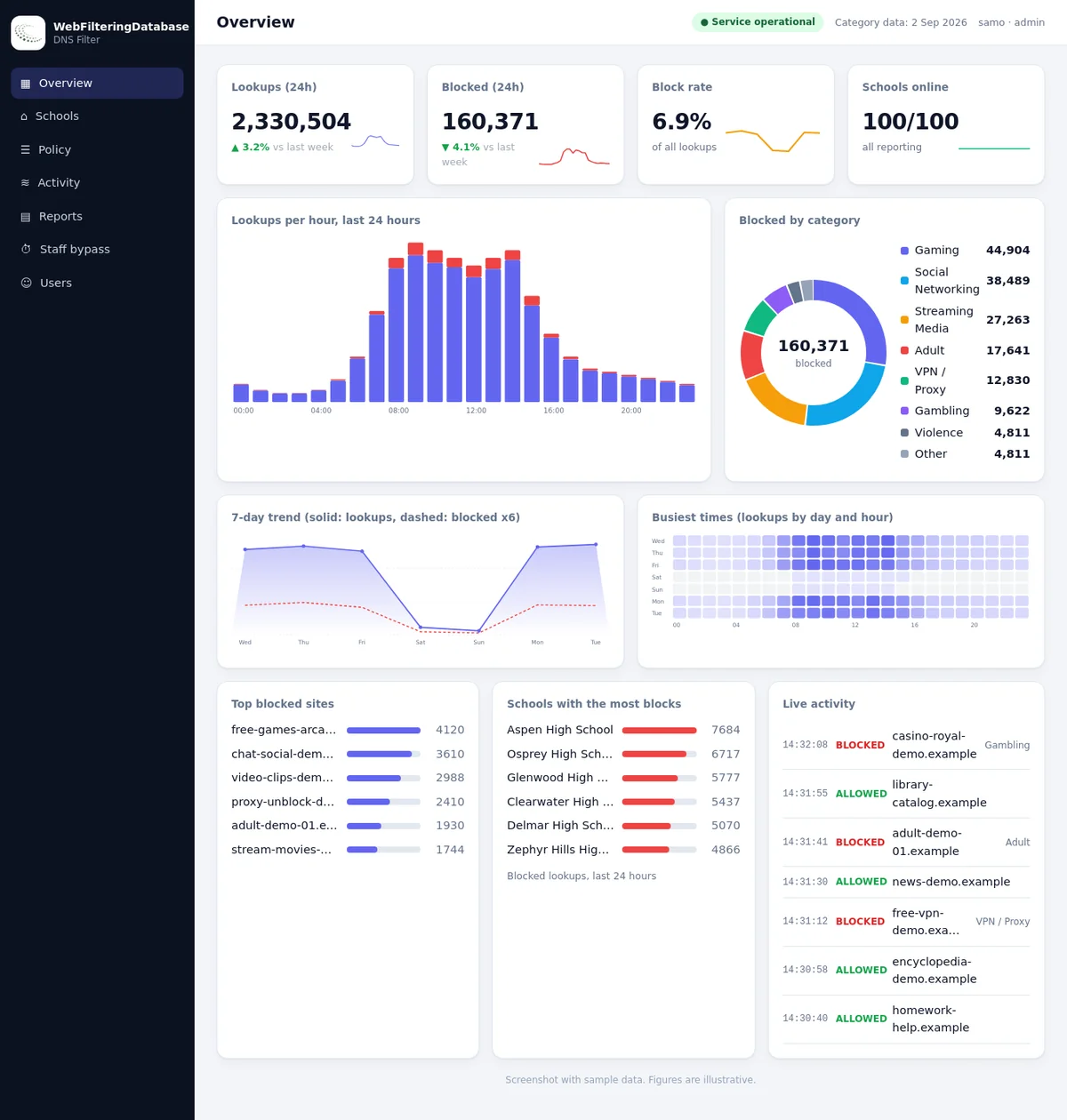
Dashboard overview with lookups, blocked categories and schools online

A filter you run from a dashboard

Point DNS at the service, choose categories, and watch what happens. No appliance, no agent on the computers.

Per-site policies

Choose from 23 blocking categories for each site, with always-allow and always-block lists on top.

PIN bypass for staff

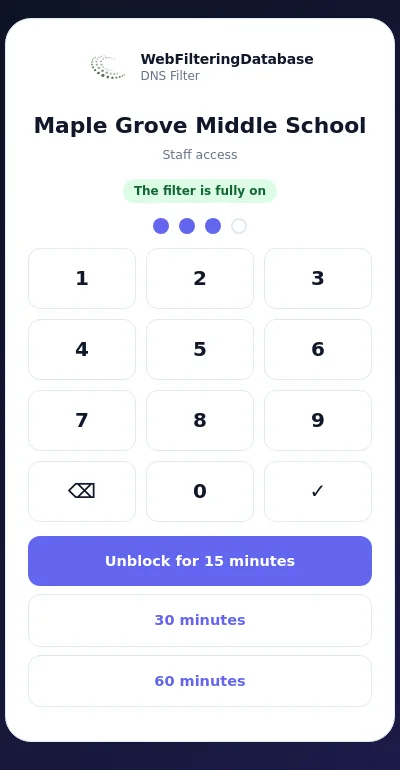
A public page where authorized staff unblock adult categories for 15, 30 or 60 minutes. It reverts by itself and is logged.

Logs and reports

Searchable activity, printable reports, and CSV exports of blocked lookups and bypass use.

What the dashboard looks like

Screens with sample data for a district of 100 schools.

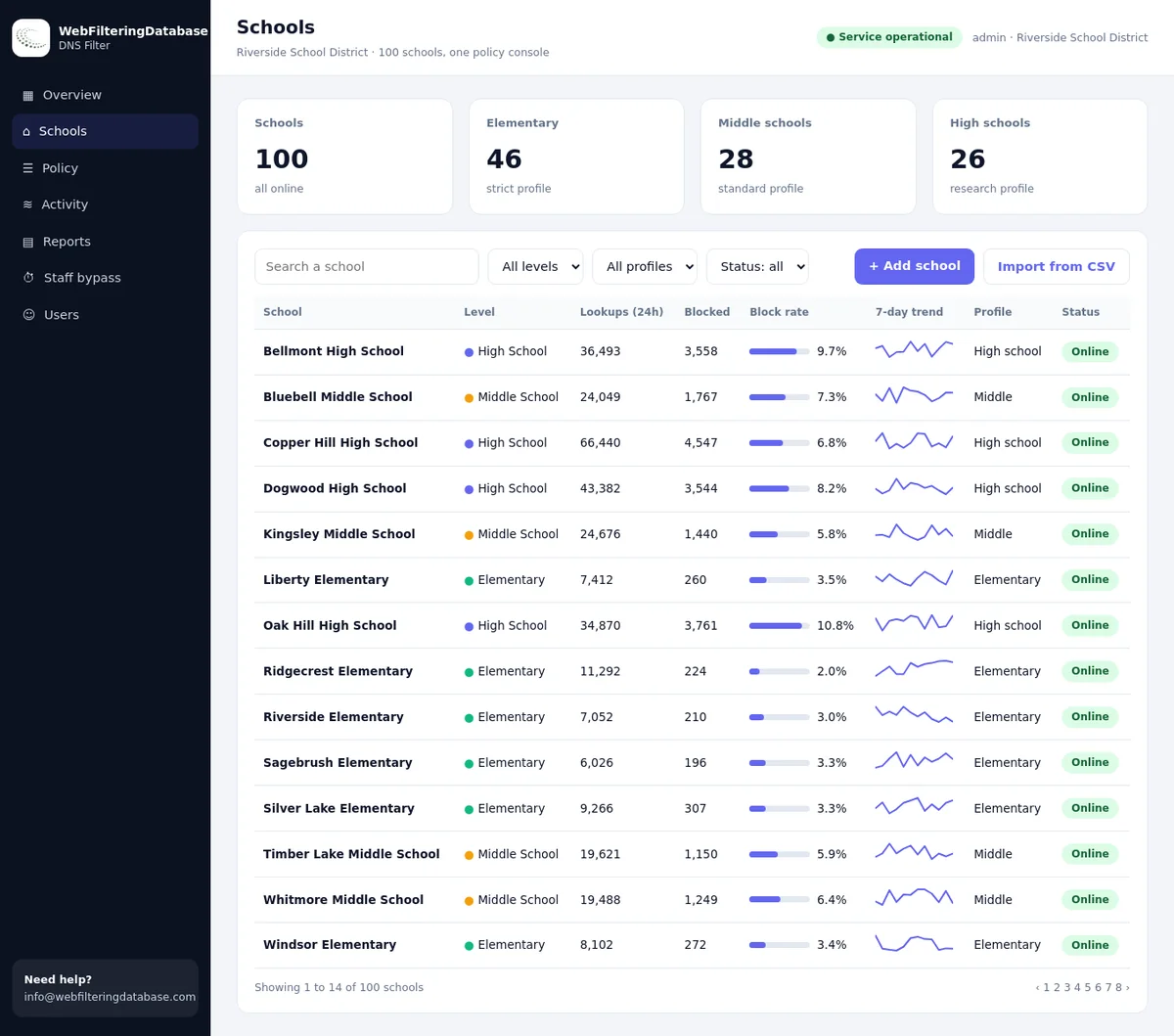
Schools list with lookups, blocks, trends and profile
All sites in one listLookups, block rate and a 7-day trend per site.
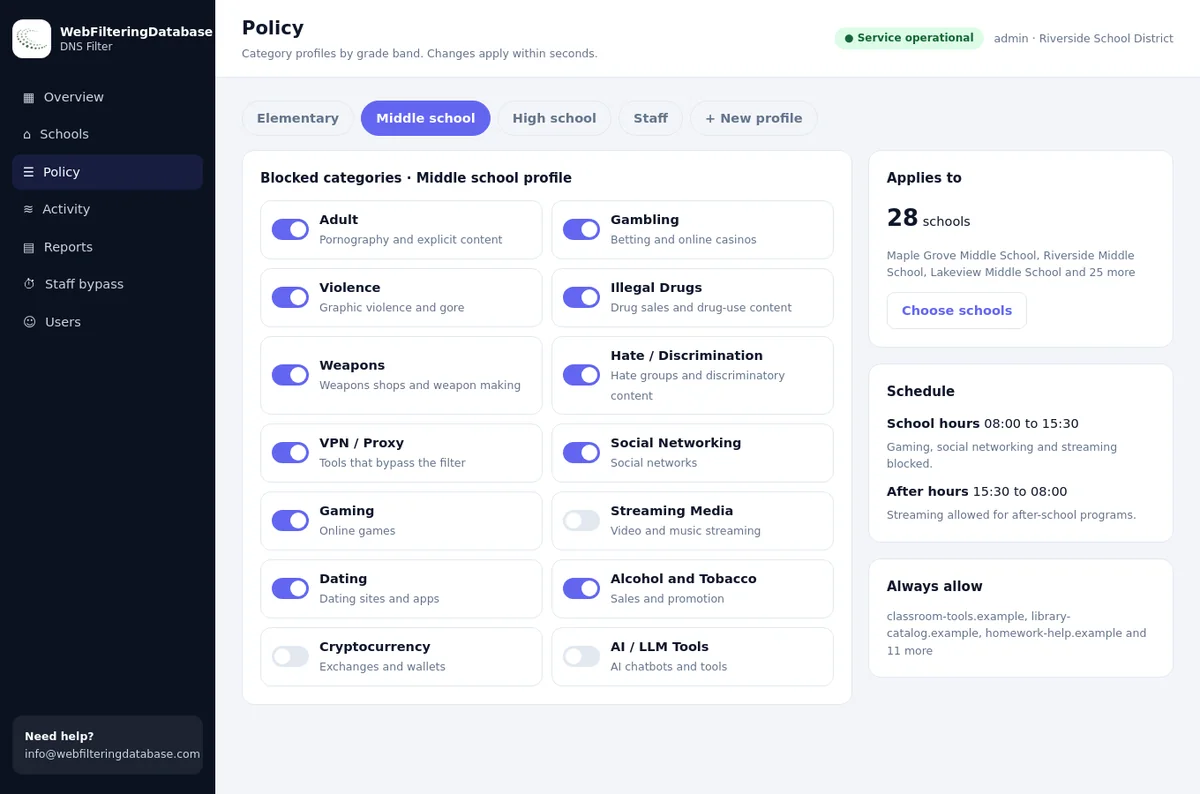
Category switches for a policy
Policy with switchesTurn categories on or off. Changes apply in seconds.
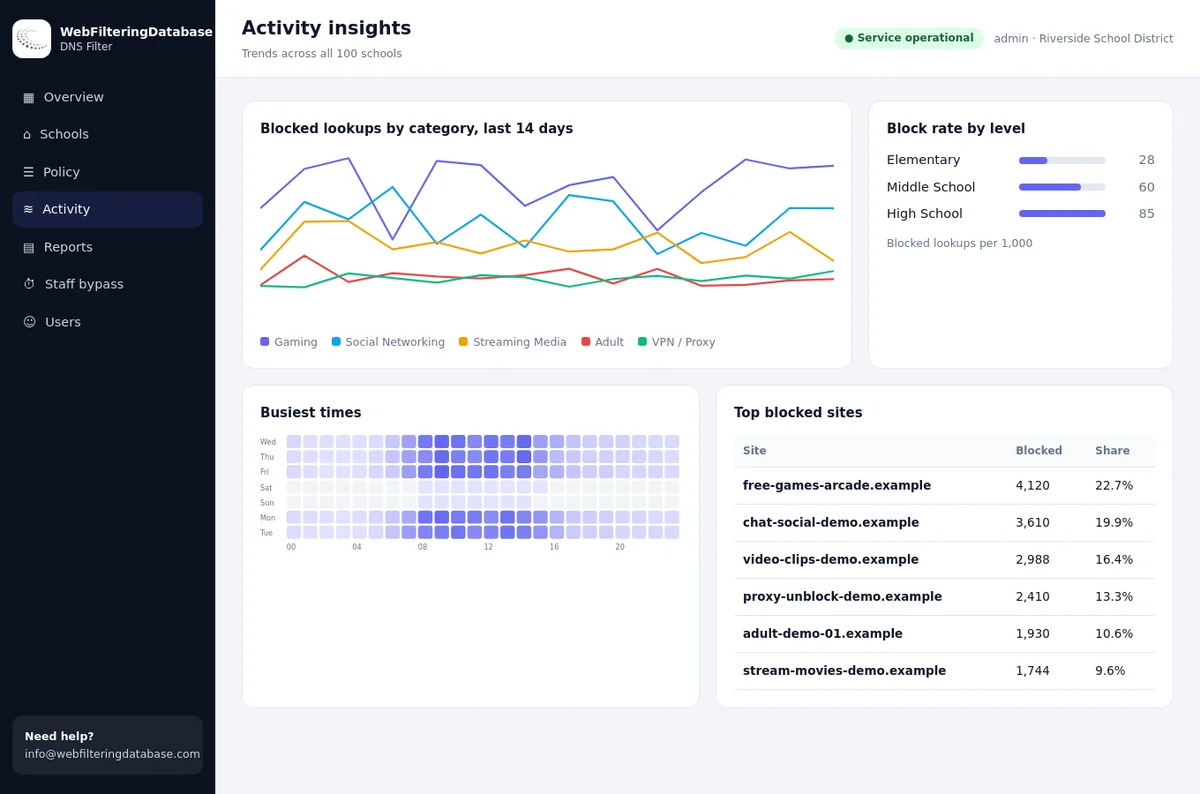
Category trends and busiest times
Activity insightsCategory trends, busiest times and the most blocked sites.
Overview with charts
OverviewLookups, blocks and status at a glance.

Works on any network

Point a router or firewall at the filter, or give a device a private encrypted link. The same policy applies either way.

The encrypted link also works where a provider redirects ordinary DNS, and on laptops and phones away from your network.

The staff bypass page works from any phone.

Staff bypass page on a phone

Who it is for

Teams that need category filtering without running their own filter.

Schools

Block the categories your policy lists, with a way for staff to open adult research when it is lawful.

Libraries

A short setup for public computers and a bypass the front desk can use.

IT providers

Manage several customers from one console, each with its own policy and staff PIN.

Plans

Pricing depends on the number of sites and devices. Tell us about your setup and we will send a quote.

Single site

One school, library or office.

  • Category policy with a preset
  • Staff PIN bypass
  • Activity log and reports
Contact us

Multi-site

A district, library system or organization with many sites.

  • One console for all sites
  • Settings and staff PIN per site
  • Reports across sites
Contact us

Partner

IT providers who manage filtering for their customers.

  • Several customers in one console
  • Each customer has its own policy
  • Help with setup and onboarding
Contact us

A pilot on one or two sites is available before you decide.

Questions

How the filter relates to the rest of the platform.

How is this related to the database and API?

The filter uses our categorized web filtering database. If you would rather build your own filter, the offline database and the API remain available.

What do we change on our network?

Set the DNS server on your router or firewall to the address we give you. If you cannot, use the private encrypted link on the devices.

Can staff unblock adult content for research?

Yes. Staff enter a PIN and unblock adult categories for 15, 30 or 60 minutes. It switches back on by itself and each use is logged.

Is there a pilot?

Yes, on one or two sites. Contact us with your number of sites and devices.

Try it on one site first

Tell us what you run today and how many sites you have.

Request a pilot