Allow list for business apps: keep Microsoft 365, Zoom and Slack working behind a filter
Nothing undermines a new web filter faster than a sign-in loop on the first morning. This guide is for the IT lead or provider who wants the filter on and the business apps untouched: why filters break them, which domains matter, and how to build an allow list that survives the next app update.
Signs an app needs allow-list entries
- Sign-in pages loop or never finish loading
- Files open in the browser but stop syncing
- Calls connect, then video or screen sharing fails
- Pages load with missing icons, fonts or images
- The desktop app says it is offline while the browser works
Why web filters break business apps
One app is rarely one domain. A single Microsoft 365 or Zoom session can touch sign-in, storage, content delivery and media services on different names, and each can trip a different rule.
A helper domain lands in a blocked category
File storage, messaging or content delivery categories are switched off, and the app's storage or media domain sits in one of them.
Encrypted traffic is decrypted
Apps that pin their certificates refuse a connection a proxy has opened up. Vendors usually ask for their domains to be exempt from inspection.
The vendor adds a domain
An update starts using a domain nobody allowed. If the filter treats unknown or newly registered names strictly, the feature breaks.
Links go through a tracking domain
Email notifications often wrap links in a redirect. A URL shortener block can stop people opening shared documents.
A VPN-style connection is blocked
Some apps open their own secure tunnels for calls or remote support. A VPN or remote access rule can catch them.
A single sign-on step is caught
Sign-in hops across several domains. Blocking any one of them leaves people stuck on a loop with no error message.
A filter that keeps sign-in, search and office apps out of the blast radius
Our managed DNS filter keeps search engines, Microsoft sign-in and Office, and Google and Apple core services out of the broad category switches. Only Adult, VPN and proxy rules or your own always-block entries can touch them.
- File storage, messaging and webinar sites are categories, not blocking switches.
- Your always-allow list beats every category, profile and schedule.
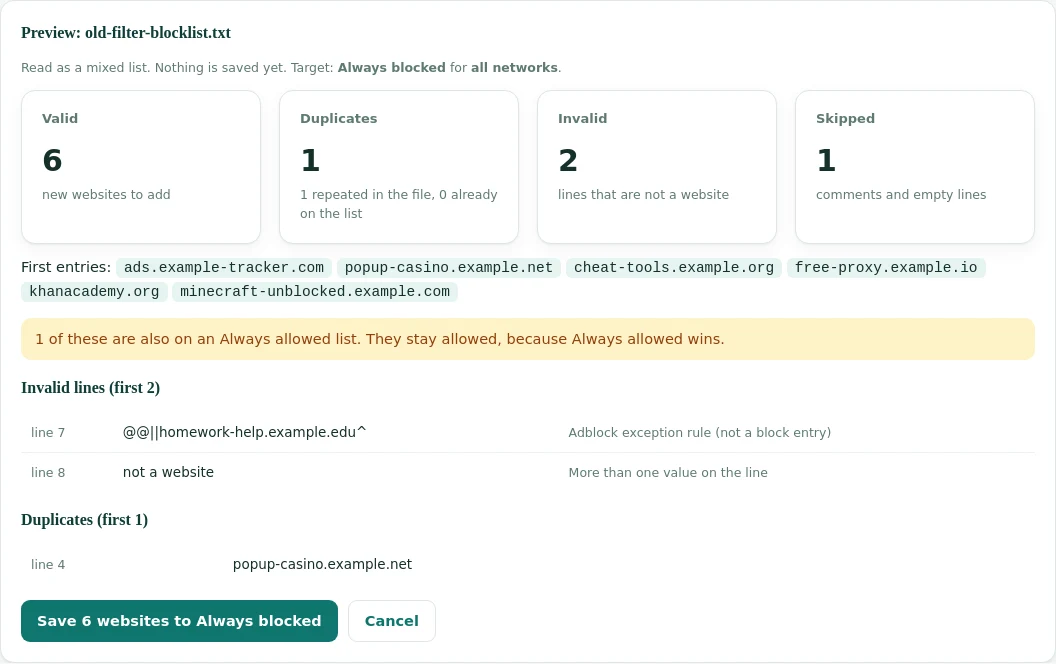
- Import the app domains you already have in one file.
The core domains of common business apps
A starting point, not the full list. Each vendor publishes its own list of required names, and that list is the authority: use it for anything beyond these core entries.
Microsoft 365
Mail, files, Teams, Officelogin.microsoftonline.comfor sign-inoutlook.office365.comandoutlook.office.comfor mailsharepoint.comwith sub-domains for files and OneDriveoffice.comandteams.microsoft.com
Published list: "Microsoft 365 URLs and IP address ranges".
Google Workspace
Gmail, Drive, Meetaccounts.google.comfor sign-ingoogle.comwith sub-domainsgoogleapis.comandgstatic.comgoogleusercontent.comfor files and previews
Published list: "Set up a Google Workspace host name allowlist".
Zoom
Meetings and phonezoom.uswith all sub-domainszoom.comfor account pages
Published list: "Zoom network firewall or proxy server settings", which also asks to exempt these names from inspection.
Slack
Messaging and filesslack.comwith sub-domains, including your workspaceslack-edge.comfor app assets- Further file and image domains listed in Slack's network help
Published guidance: Slack's help centre articles on network requirements.
E-signature and CRM
DocuSign, Salesforcedocusign.comanddocusign.netsalesforce.comandforce.comwith sub-domains
Both vendors publish their required domains for administrators.
Files and project tools
Box, Atlassianbox.comandboxcdn.netatlassian.netfor your sites andatlassian.com
Check each vendor's list for regional and media domains.
Enter domains without "www" or a path. A DNS filter that matches a domain and its sub-domains covers tenant names, such as yourcompany.sharepoint.com, with one entry.
Six business app domains and the categories they carry
Real rows from our data. On a filter that blocks file storage or messaging as categories, each of these would break; on our managed filter none of these categories is a blocking switch.
| Domain | Categories in our data | At risk on filters that block |
|---|---|---|
| sharepoint.com | Cloud Storage / File Hosting | File storage |
| slack.com | Email and Messaging | Messaging |
| box.com | Cloud Storage / File Hosting, Web-based Applications | File storage |
| salesforce.com | Business, Web-based Applications | Web applications or unknown tools |
| docusign.com | Web-based Applications | Web applications |
| atlassian.net | Computers & Technology | Rarely blocked |
Building an allow list that survives updates
The allow list is a living document. Six steps keep it short, correct and easy to hand over.
Inventory the apps
List the tools people sign in to every week. Ask finance which subscriptions you pay for; it is the most complete list.
Take the vendor lists
Copy the required domains from each vendor's published list, not from a forum post.
Reduce to registrable domains
Turn host names into their domains, so one entry covers every sub-domain the vendor adds later.
Load and test
Import the list, then sign in to each app on a filtered device, open a file, and join a test call.
Note the owner
Next to each entry, record which app needs it. Lists without reasons are impossible to clean up.
Review quarterly
Remove apps you no longer pay for and add domains vendors have announced.
How the managed filter handles your business app allow list
Paste or import your app domains into the always-allow list, preview the result, and save. The entries apply in seconds on every network and beat every category, profile, schedule and SafeSearch setting.
Allow by domain, block by category
The cleanest filtering setups split the work. The table shows which tool does which job.
| Need | Use | Why |
|---|---|---|
| Apps the business depends on | Always-allow list by domain | No category change or new rule can ever touch them |
| Clear risks | Category switches | New sites in the category are blocked without anyone listing them |
| One site that must go today | Always-block entry | Takes effect at once, whatever its category |
| Different needs per team or network | Profiles per network | Staff, guests and public PCs each get their own rules |
| Apps that pin certificates | Exempt from inspection | Decrypting their traffic breaks them; DNS filtering avoids the issue |
A ten-minute test after the filter goes on
Run these checks on one filtered laptop before you move the whole office. Each takes a minute, and a failure tells you exactly which app needs another entry.
| App | What to do | Passes when |
|---|---|---|
| Microsoft 365 | Sign in from a fresh browser profile, open a SharePoint file, send a Teams message | No sign-in loop, the file opens for editing, the message arrives |
| Google Workspace | Sign in, open a Drive document, start a Meet call alone | The document loads with comments and the camera preview appears |
| Zoom | Join a test meeting from the desktop app and share the screen | Audio, video and sharing all start within a few seconds |
| Slack | Open the desktop app, upload an image, open a shared file | The app shows online and the image preview loads |
| DocuSign | Open a signing link from an email notification | The document opens without a blocked redirect |
| Everything else | Ask two colleagues to work normally for an hour on the test laptop | No unexplained errors; check the activity log for blocks |
If a check fails, look up the failing lookup in the filter's activity at that minute. The guide to finding why a website is blocked walks through it.
Six allow-list mistakes
Each one turns into a ticket within a week.
Allowing only the www name
Apps live on sub-domains and helper domains. Allow the registrable domain.
Copying a list from a forum
Old lists miss new domains and include retired ones. Start from the vendor's own list.
Opening a whole category
Turning off a file storage block to fix one app opens every file host on the internet.
Forgetting the desktop apps
Test the installed app, not only the browser. They often use extra update and media domains.
No owner per entry
Three years later nobody knows which line is safe to delete.
Allowing a shortener for one link
Opening a URL shortener opens every link behind it. Allow the destination instead.
Business apps on a typical category filter, and on the managed DNS filter
Where apps usually break, and what changes.
| Situation | Typical category filter | Managed DNS filter |
|---|---|---|
| Microsoft or Google sign-in | Breaks if a sign-in domain is caught | Kept out of the broad switches |
| File storage domains | Blocked when file hosting is switched off | Not a blocking switch |
| A new app domain appears | Waits for someone to notice | One always-allow entry, applied in seconds |
| Bringing your existing list | Retype each entry | Import the file with a preview |
| Proof the apps were never blocked | Search logs by hand | Activity log by website, network and time |
Business app allow lists: frequently asked questions
Why does a web filter break Microsoft 365 or Zoom?
Business apps load from many domains: sign-in, file storage, content delivery and media. If any one of them falls in a blocked category or is caught by encrypted traffic inspection, sign-in loops, files stop syncing or calls fail to connect.
Where do I find the official domain list for an app?
Most vendors publish one. Microsoft publishes its Microsoft 365 URLs and IP address ranges, Google publishes a Google Workspace host name allowlist, and Zoom publishes its network firewall and proxy server settings. Use those lists as the authority.
Should business apps be allowed by domain or by category?
By domain. Put the apps you depend on in an always-allow list so a category change or a broad block can never touch them, and keep category rules for everything else.
Do I need to allow wildcard domains?
Usually yes. Apps use many sub-domains, such as tenant names under sharepoint.com. A DNS filter that matches a domain and its sub-domains covers them with one entry.
Does the managed DNS filter block Microsoft or Google sign-in?
No. Search engines, Microsoft sign-in and Office, Google and Apple core services are kept out of the broad category switches, so only Adult, VPN and proxy rules or your own always-block entries can affect them.
How often should an allow list be reviewed?
When you add an app, when a vendor announces new endpoints, and once a quarter to remove apps you no longer use.
One site on the managed DNS filter costs $99 a month, and several sites are quoted together. A pilot on one network shows your apps running through the filter before you switch the rest.
Filter the web, not your business apps
Send us the list of apps your team uses. We will set up a pilot with them on the always-allow list from the first day.
Microsoft 365, Outlook, OneDrive, SharePoint and Teams are trademarks of Microsoft Corporation. Google Workspace and Gmail are trademarks of Google LLC. Zoom is a trademark of Zoom Communications, Inc. Slack is a trademark of Slack Technologies, LLC.
DocuSign is a trademark of Docusign, Inc. Salesforce is a trademark of Salesforce, Inc. Box is a trademark of Box, Inc. Atlassian is a trademark of Atlassian. They are named only to identify the products discussed; Web Filtering Database is not affiliated with, sponsored or endorsed by these companies.